If You Think You’re Having A Bad Day, Spare A Thought For These 88 Poor Tech Support Workers (new Pics)
Anyone who has ever worked in tech support knows that no two days are ever the same. One minute you're resetting a password, and the next you're trying to explain that a computer won't turn on because it isn't plugged in. As frustrating as the job can be, it also comes with some truly unforgettable stories.
In this collection, tech support workers are sharing the funniest, strangest, and most baffling cases they've encountered on the job. Some of these situations are surprisingly relatable, others are downright unbelievable, and a few might leave you wondering how technology survived at all. Keep scrolling—these IT horror stories are almost too good to be true.
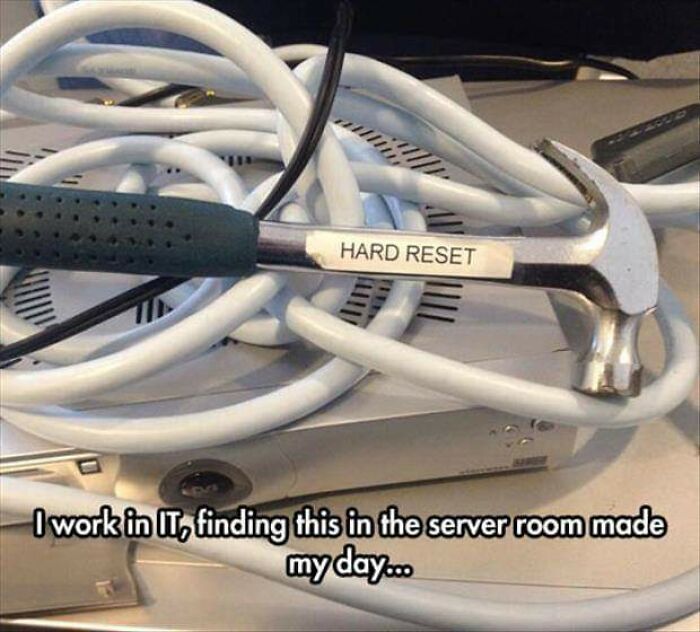
#1 So Who Has One In Their Server Room?
© Photo: Taldius175
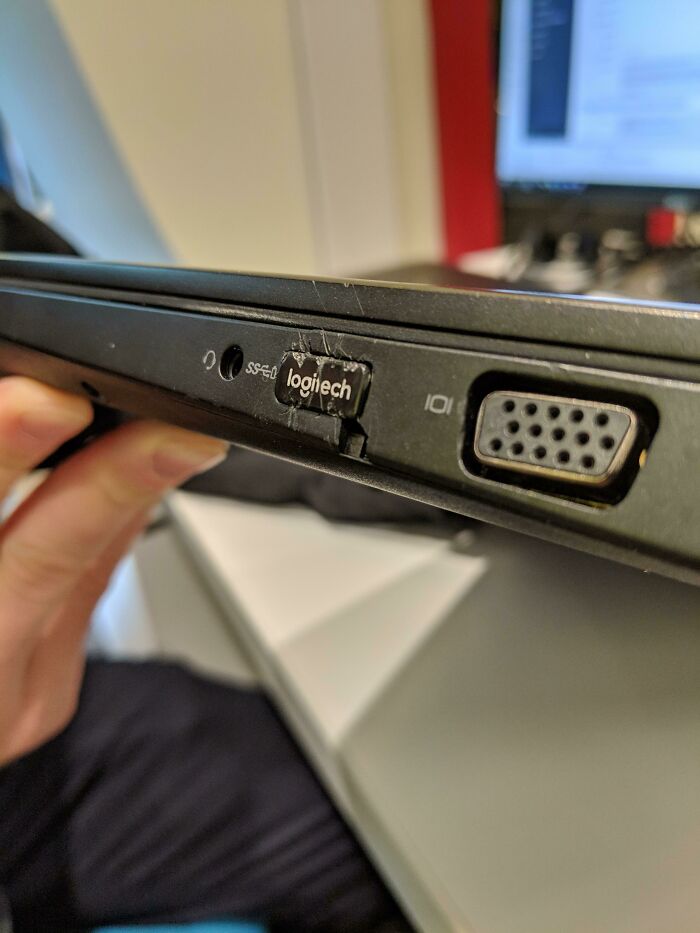
#2 Plugging In Your USB Receiver With A Hammer For That Flush Mounted Look
© Photo: Viciouspom
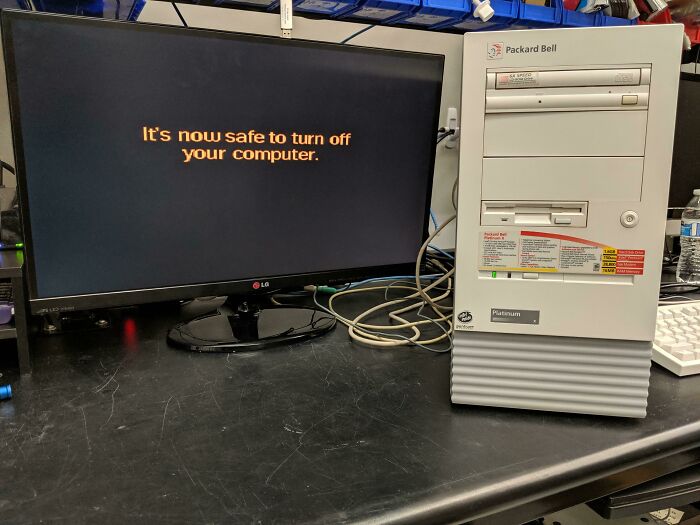
#3 The Problem Here Is That This Is Still Being Used Daily By My Customer. Refuses To Upgrade
© Photo: DyedSun
Phones, laptops, tablets—whatever you use, gadgets have become such a big part of our daily lives that it’s hard to imagine a day without them. From booking tickets and ordering food to working remotely or just relaxing with a bit of gaming, these devices quietly power almost everything we do. Whether you’re an office worker replying to emails all day or someone who just scrolls through social media and watches videos, your device is constantly in use. Because of that, keeping them in good condition isn’t just helpful; it’s actually essential in today’s digital world.
#4 He’s A Little Confused But He’s Got The Spirit

© Photo: Rafapex
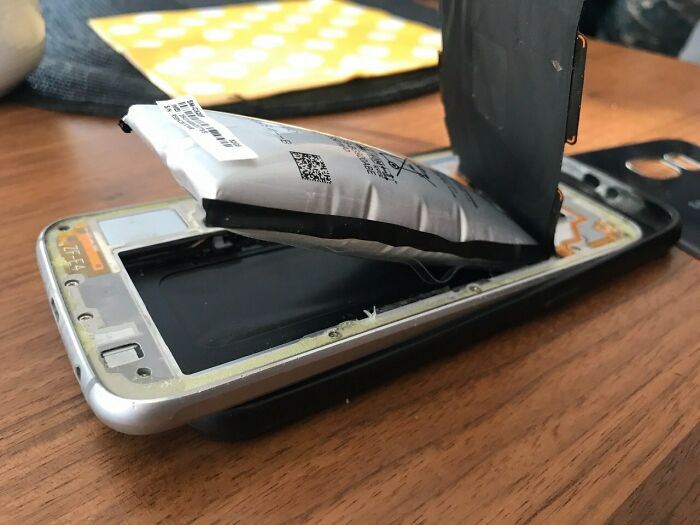
#5 My Friend Kept This In His Bedside Table...
© Photo: dunklesToast
#6 To Ensure Maximum Keyboard Stability, Hp Decided 57 Screws Was The Magic Number For The X360
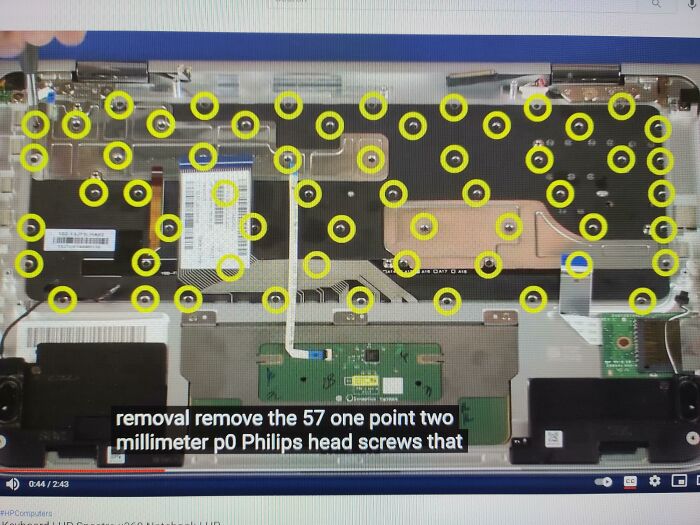
© Photo: Voxata
One of the most important things when it comes to device care is maintaining good battery health so your gadget lasts longer throughout the day. A lot of people think this simply means charging your phone whenever it hits zero and plugging it out at 100%, but it’s actually a bit more nuanced than that. For example, many experts suggest keeping your battery level between 20% and 80% whenever possible. It’s also a good idea to avoid fully draining your battery or leaving it plugged in at 100% for long periods. Thankfully, many modern devices now come with smart or optimized charging features that help manage this automatically in the background.
#7 I Was Wondering Why My Computer Had Bluescreens. Now I Am Wondering Why My Computer Was Able To Boot Up At All

© Photo: vinni_private
#8 Like An Artist's Rendition Of "Anxiety"
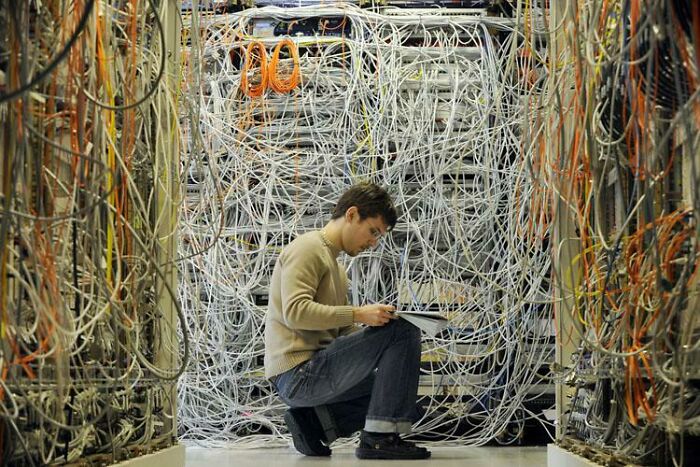
© Photo: rexmons
#9 Nan With The Laptop Has Never Been Easier
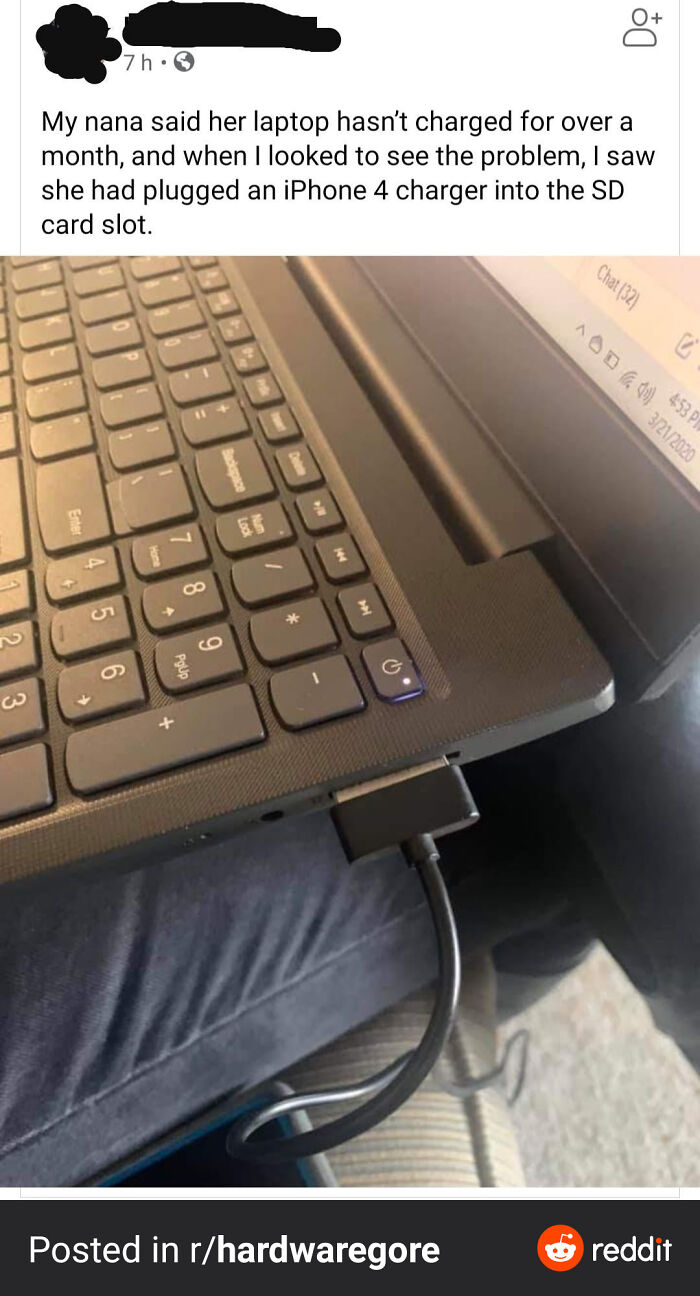
© Photo: [deleted]
Apple, on its official website, also highlights the importance of temperature when it comes to battery performance. According to them, devices are designed to work best in a comfortable ambient temperature range of around 62° to 72° F (16° to 22° C). They also warn that exposing your device to temperatures above 95° F (35° C) can permanently damage battery capacity over time. In simple terms, that means your battery won’t last as long on a single charge if it’s frequently exposed to extreme heat. So while we often think of charging habits as the main factor, the environment actually plays a huge role too.
#10 Electrician Friend Just Sent Me This, Found During A Portable Appliance Test
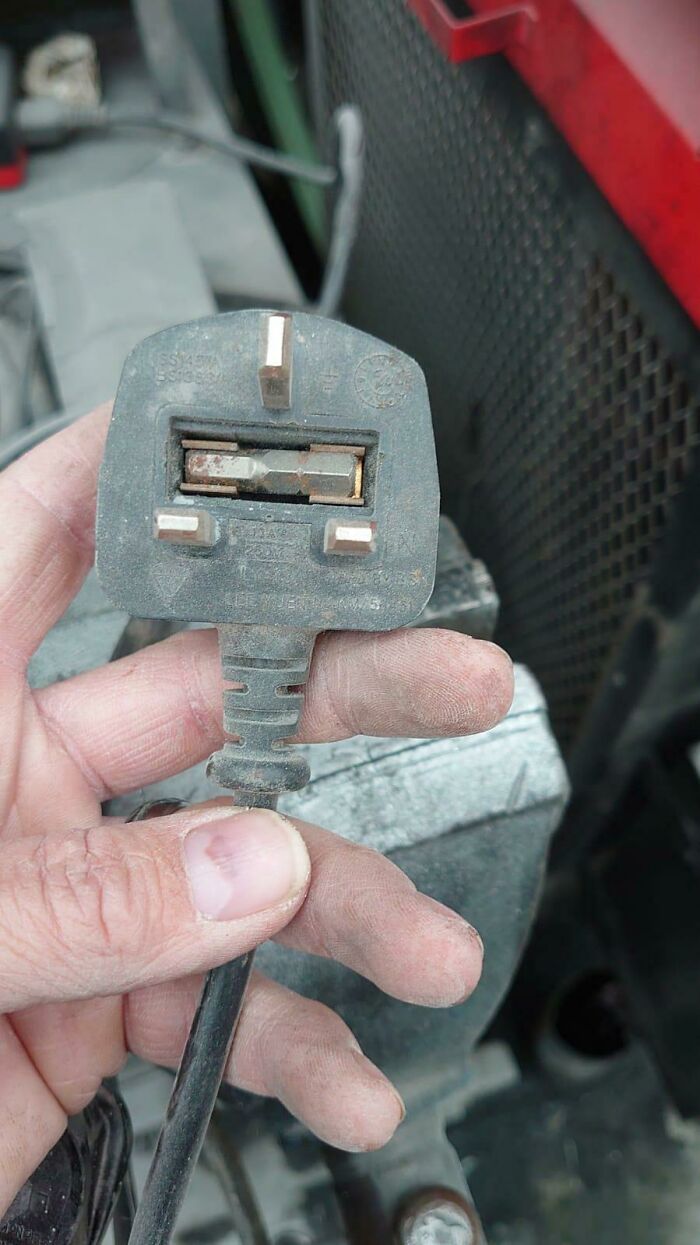
© Photo: kryptopeg
#11 Merry Christmas!
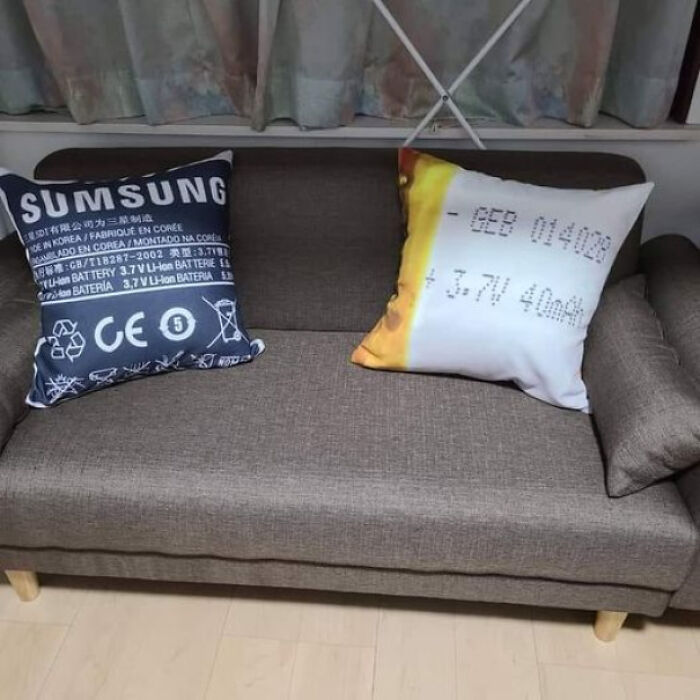
© Photo: 404_GravitasNotFound
#12 W?
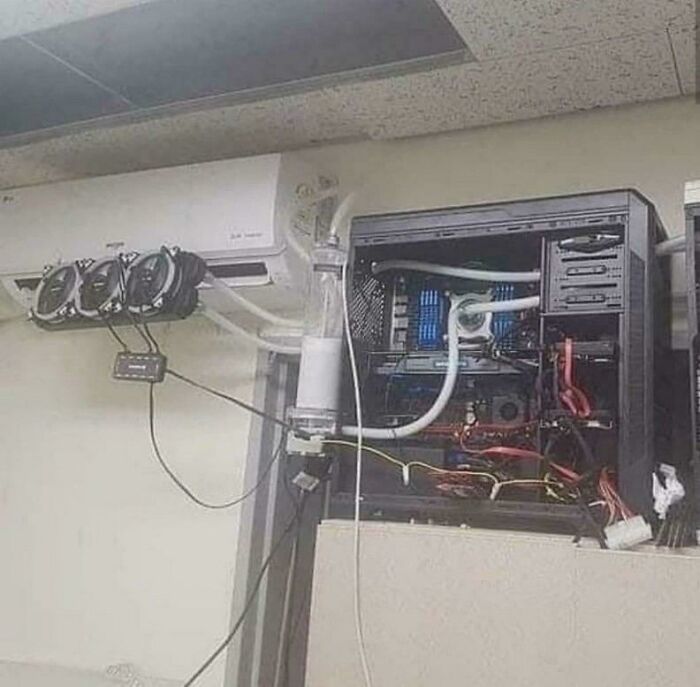
© Photo: az123ref12
Another thing people often overlook is basic cleaning and hygiene for their devices. Just think about it—how often does your phone touch your face during calls, or sit on different surfaces throughout the day? We use our devices constantly, and that means they naturally collect dust, oil, and dirt over time. Regular cleaning can actually prevent overheating and hardware issues in the long run. A simple microfiber cloth can be used to gently wipe screens and surfaces, while compressed air helps clear dust from keyboards, vents, and ports. It’s best to avoid harsh chemicals or using too much moisture, as that can do more harm than good.
#13 When A Teacher Decides To Buy And Install A Screen Protector On Their Own
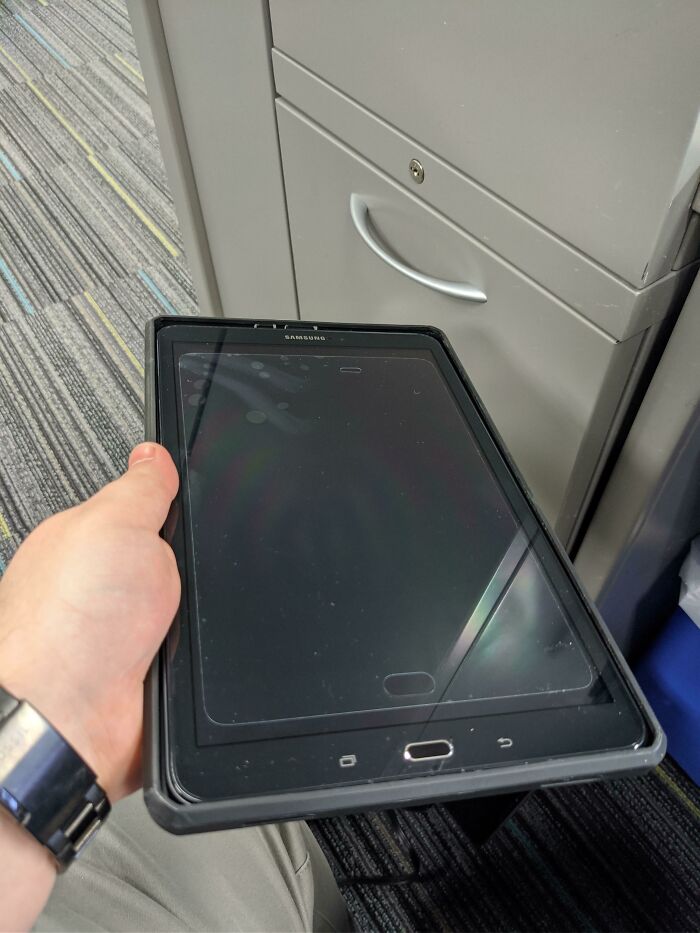
© Photo: anondeadpixel
#14 My Mom "Didn't Like The Yellowed Colour" So She Decided To Put Nail Polish On The Printer Despite My Objections
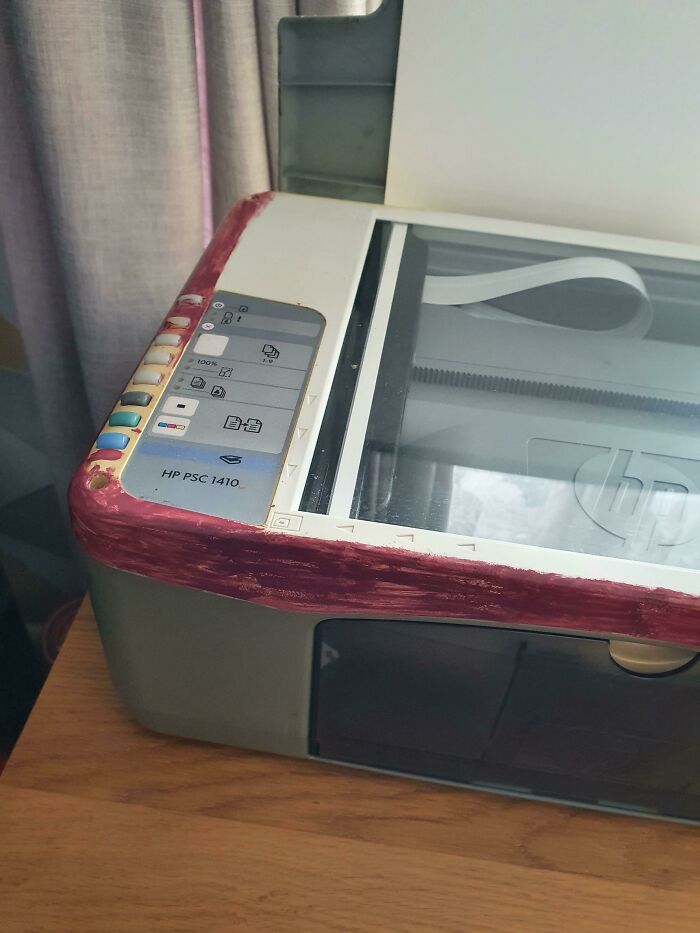
© Photo: [deleted]
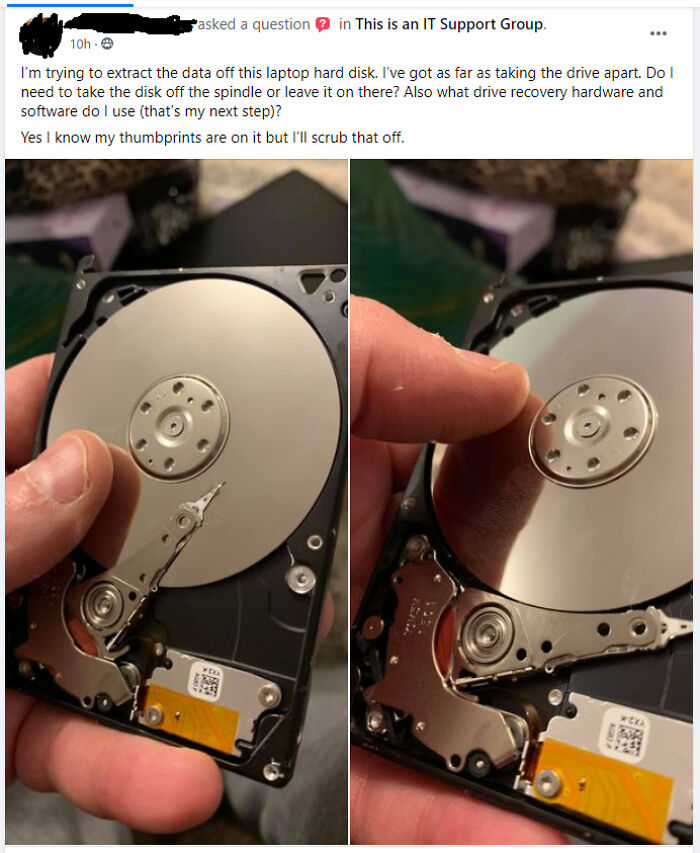
#15 Hard Drive Data Recovery
© Photo: the123king-reddit
Software updates are another key part of keeping your devices running smoothly. They often include important security patches, bug fixes, and performance improvements that help your device stay fast, stable, and protected. Skipping updates might not seem like a big deal at first, but over time it can leave your device vulnerable or slower than usual. Keeping everything updated (your operating system as well as individual apps) ensures your device continues to perform efficiently and safely in the long run.
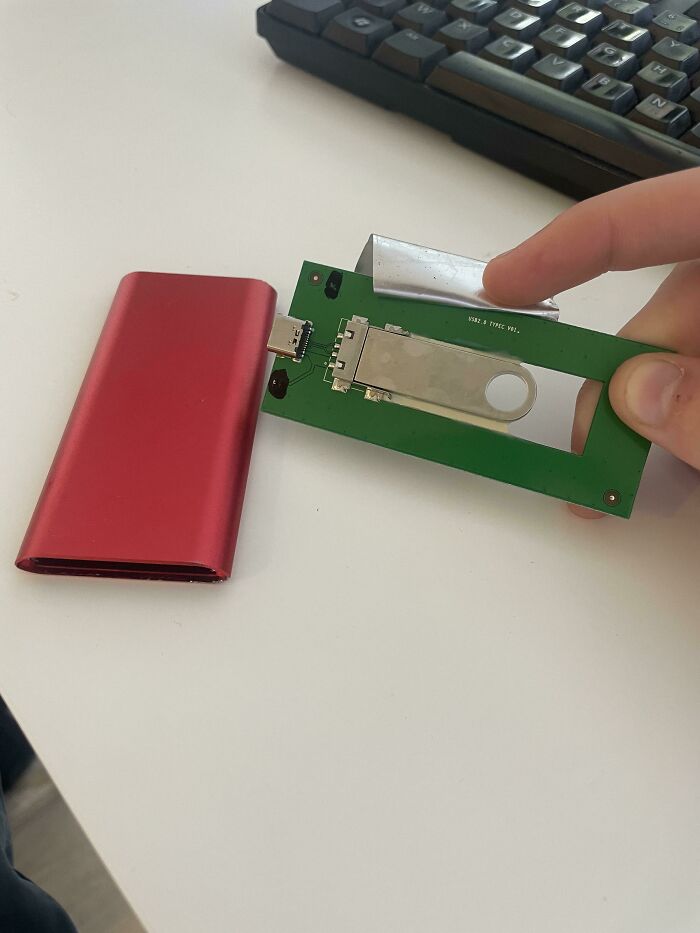
#16 Customer States She Could Not Copy Files On This 60$ 2tb Ssd From Amazon
© Photo: LhosteShiryu
#17 What Mandatory Sanitizing At Work Did To My Brand New $2,000 Laptop Last Winter

© Photo: lesbiab
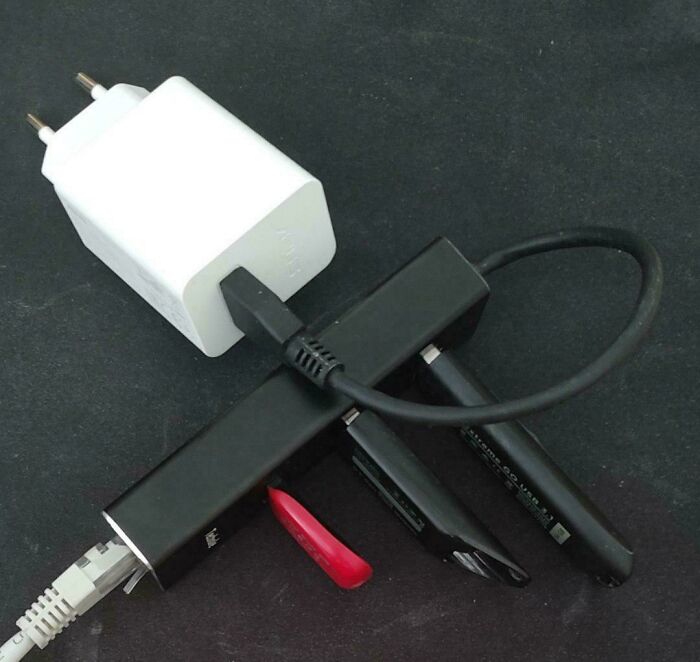
#18 My Friend Made A "File Server" - Then Asks Me Why He Cannot Access His Files
© Photo: Ryder17z
Physical damage is also something we often underestimate. A small crack on the screen or a tiny drop might not seem serious at first, but it can gradually worsen and affect how your device functions. Even minor damage can sometimes interfere with touch sensitivity, display quality, or internal components. What starts as a “small issue” can quickly turn into an expensive repair if ignored. That’s why protective cases and screen guards are more than just accessories—they’re actually simple ways to avoid bigger problems later on.
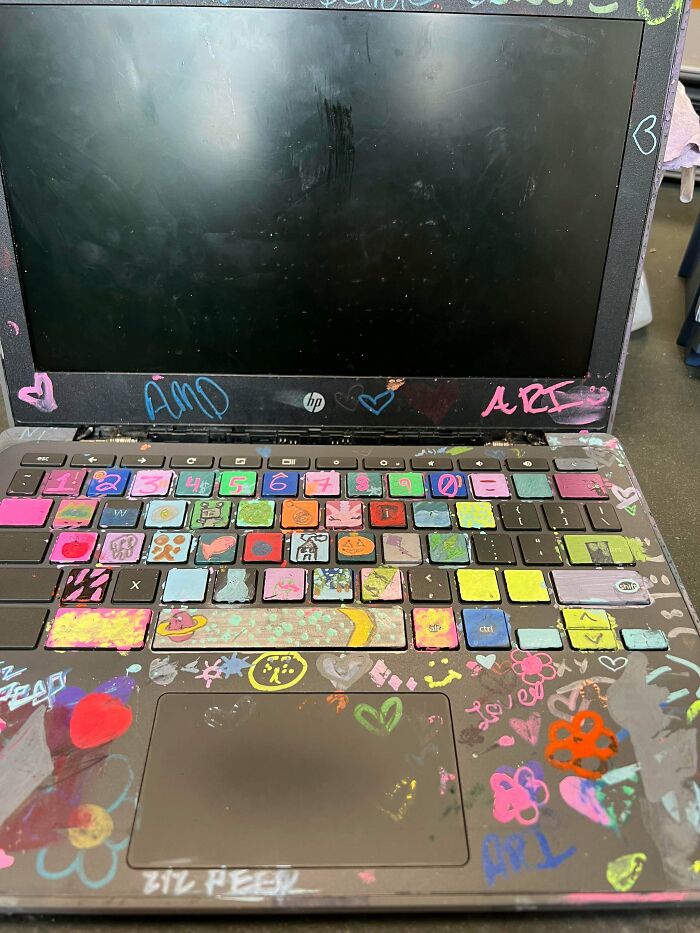
#19 Chromebooks Returned End Of Year
© Photo: atombomb6673
#20 A Friend Just Sent This To Me From Her Work
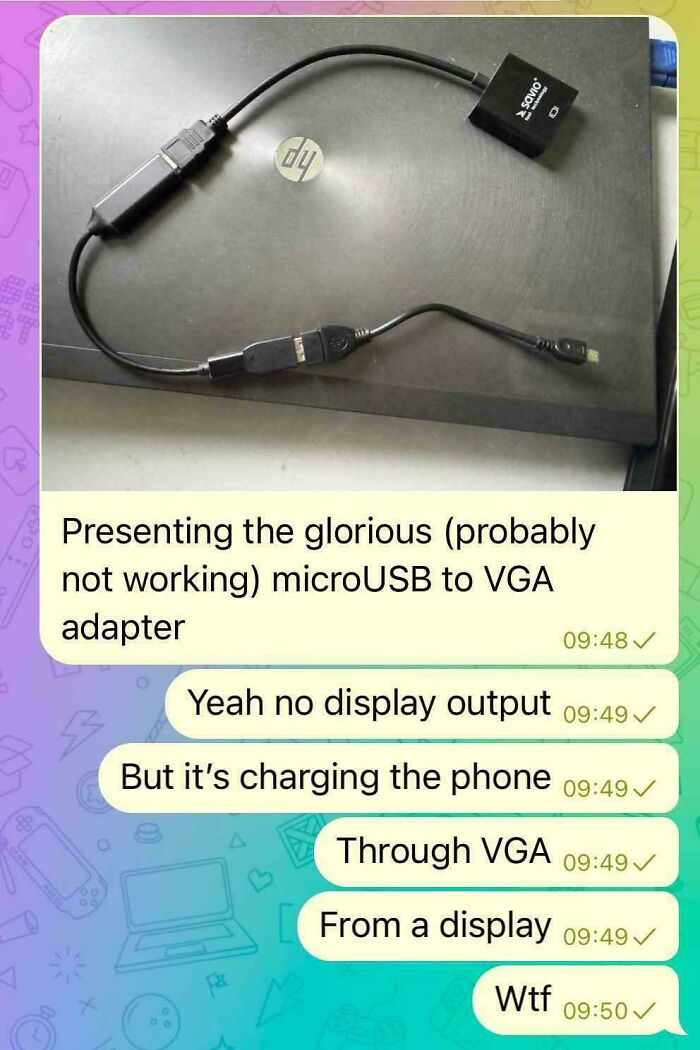
© Photo: TitanMaster57
#21 Customer Bought A Secondhand 'Custom Loop' Cooled PC From His 'Friend', Who Mysteriously Disappeared After Getting The Money. Iirc Only The Gpu Survived The Carnage
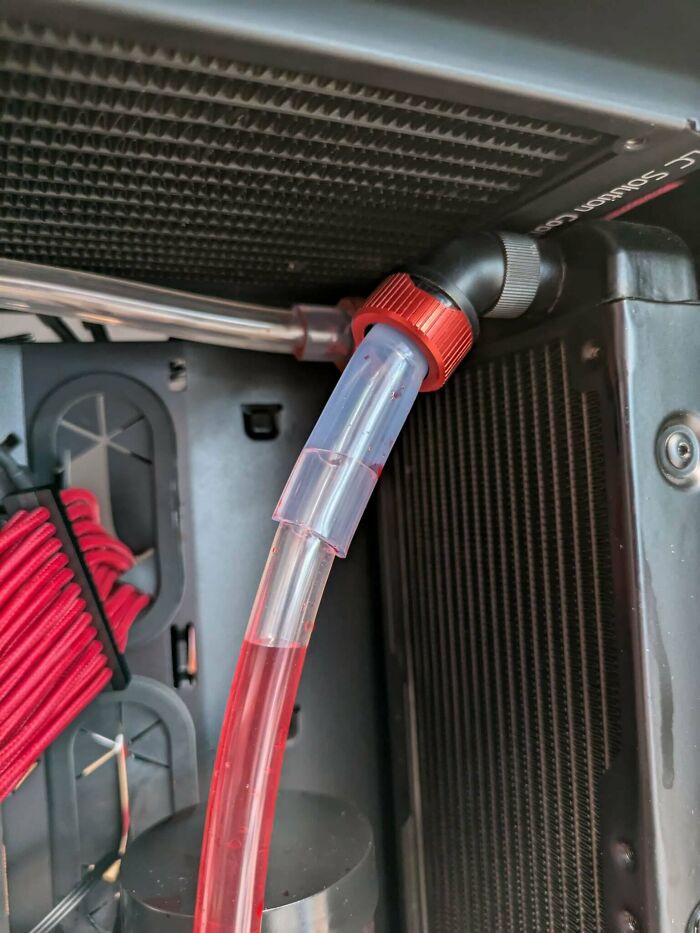
© Photo: User2716057
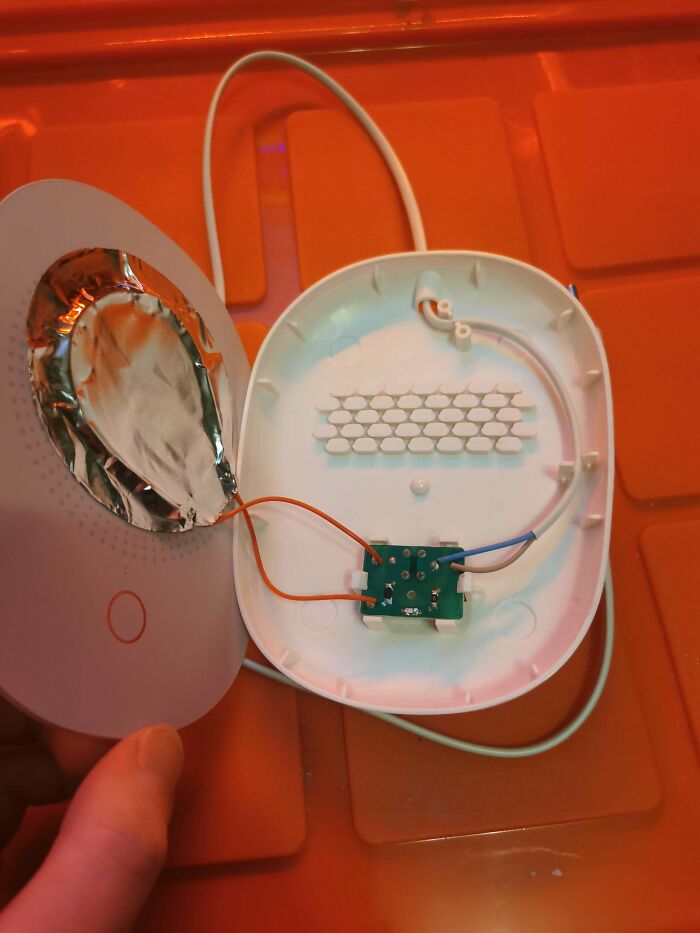
#22 This Mug Warmer Keeps Your Coffee Hot—at Any Cost
A friend of mine bought this mug warmer and never mentioned it. I only noticed when he placed his mug on it—because that’s when I heard some arcing noises.
Taking a closer look, it’s somehow even worse:
The heating element? Resistive wire taped to the back of a glass plate with aluminum foil like adhesive.
No safety features, no certification marks—just trust.
And the best part? It has to be wobbly to work. It stands on four feet, but the fifth "foot"( the red circle in picture 3) is actually just a tactile switch that only gets pressed when the mug is heavy enough. Until then, it wobbles like it’s trying to escape.
A quick calculation: The heating element has a resistance of 1500Ω, meaning it pulls around 35W (0.15A) (230V AC) through this tiny switch. There’s even an LED to tell you it’s working—as if that wasn’t obvious from the arking noises.
So yeah, it will keep your coffee warm. Even if it has to burn your house down to do it.
What are the sketchiest things you have seen at a friend's house?
© Photo: Willing-Bike1
At the end of the day, our devices are more than just tools; they’re part of how we work, communicate, and stay connected. Taking a little time to care for them properly can make a huge difference in how long they last and how well they perform. Simple habits like smart charging, regular cleaning, timely updates, and basic protection go a long way in avoiding unnecessary issues. Think of it as a small effort that saves you both money and frustration in the long run.
#23 Does This Count? Discharging A Bosch Ebike Battery Using An Electric Heater
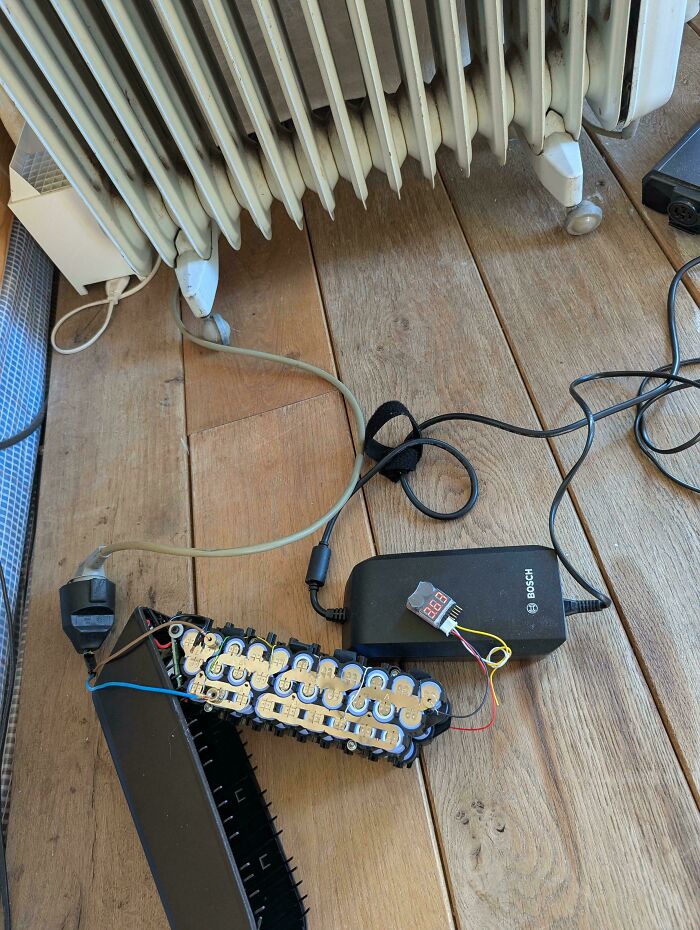
© Photo: HIVVIH
#24 When The Telecom Company Hires A Carpenter Instead Of An Engineer

© Photo: CyborgSocket
#25 I’m 14 And Doing An It Internship At A Nursing Home (Long Story), Found This Serial Fkery Today That I Figured You All Would Enjoy
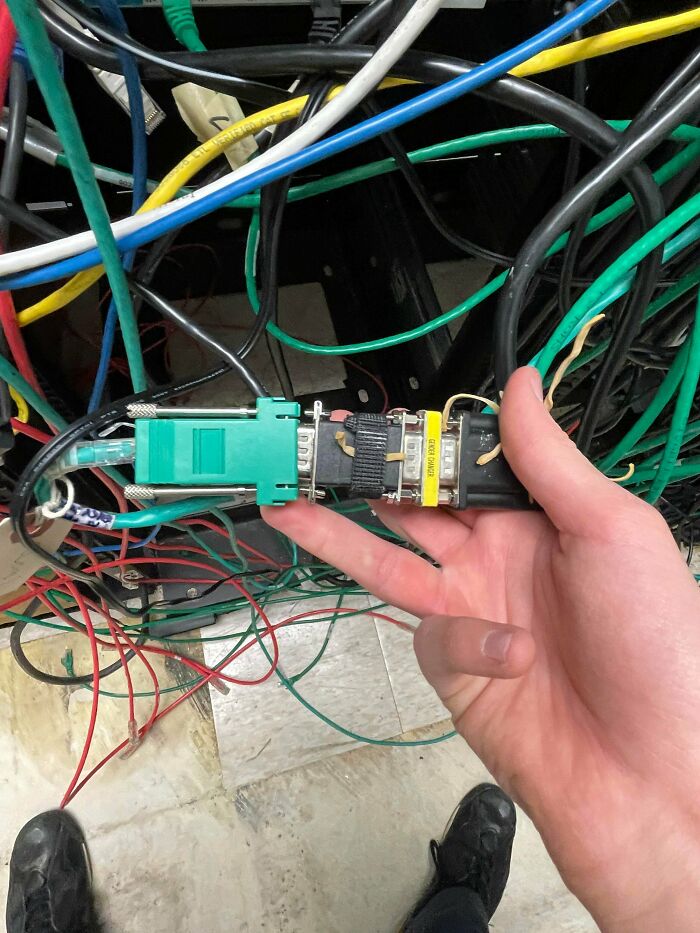
© Photo: Salt-Broccoli-9038
#26 "I Just Took It Out Of My Bag And It Was Like That"
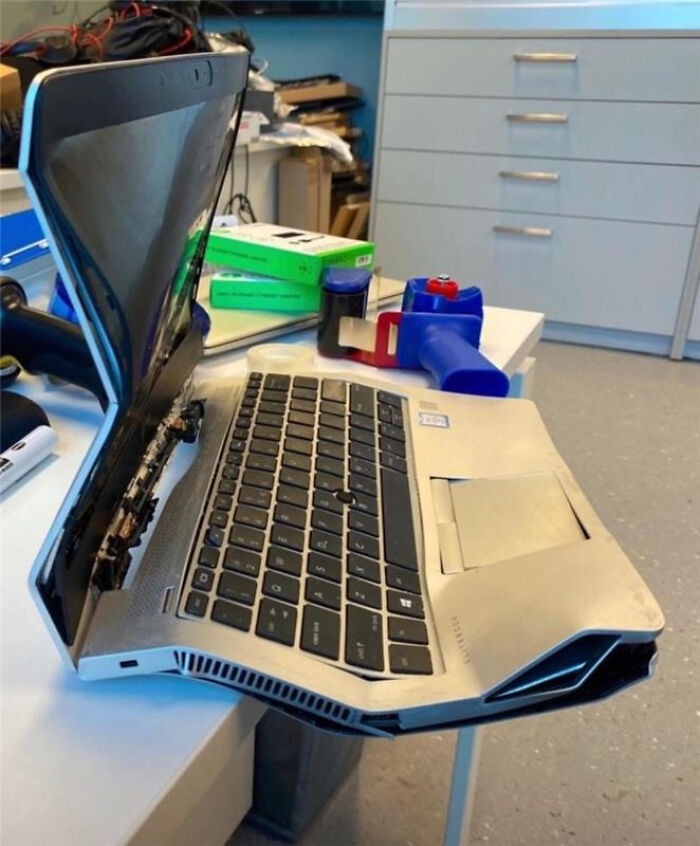
© Photo: luqezr
And coming back to these posts, they really show how people sometimes need tech support for the most unexpected (and honestly hilarious) reasons. From simple mistakes to surprisingly creative misunderstandings, the internet is full of moments that make tech workers question everything. They highlight just how differently people use their devices, and how chaos can sneak into even the most “simple” tech situations. So, Pandas, which of these made you laugh or scratch your head the most?
#27 Happened While Showing Customer The Case
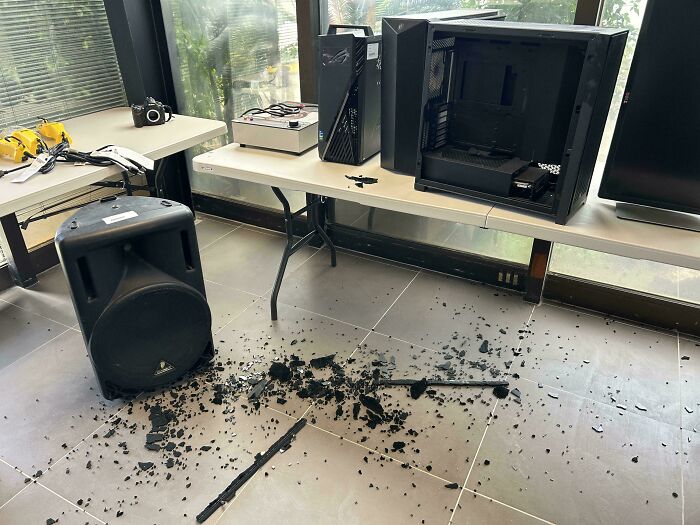
© Photo: RecycledTech
#28 My Mp3 Player’s Battery Wouldn’t Charge So I Grabbed A Random Battery And Made It Fit
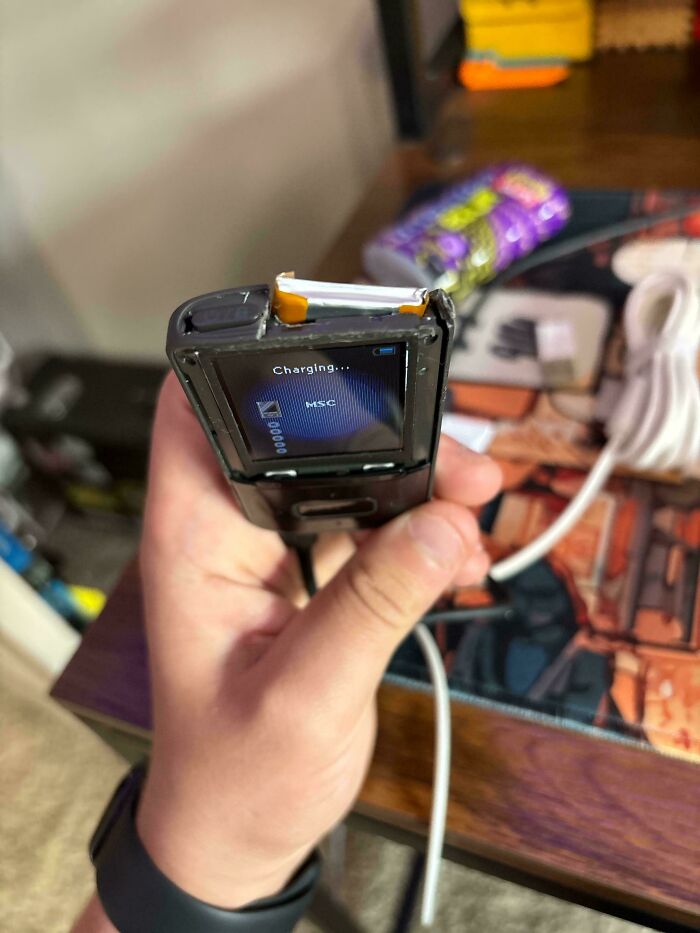
© Photo: DumbTacoMan
#29 Customer Brought In An Xp Era Tower, Asked Me To Get His Wedding Photos Out Of It, This Is Not What I Thought He Meant
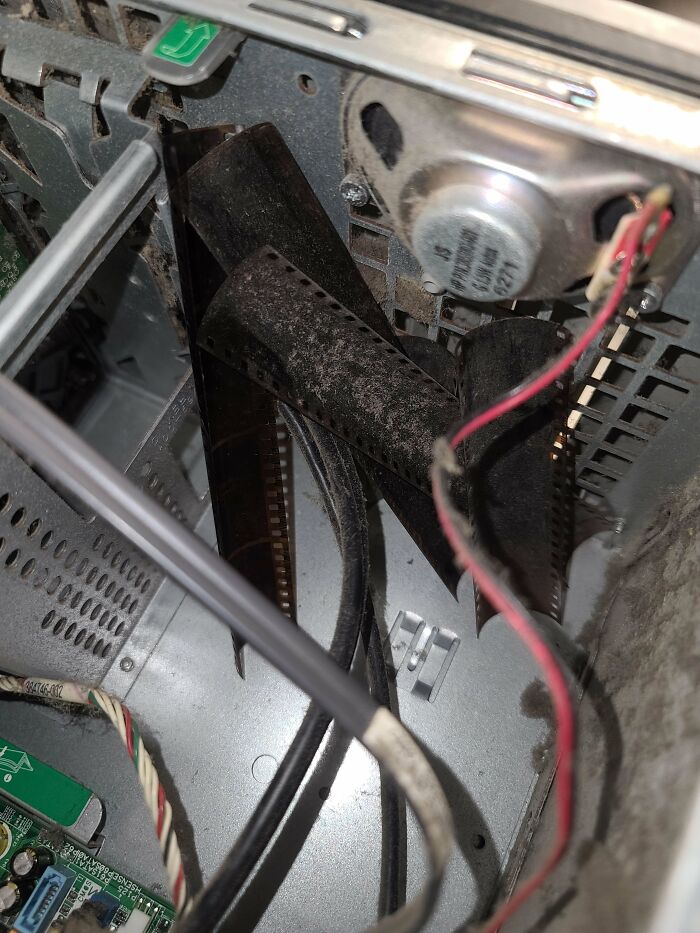
© Photo: ChewieTxupport
#30 Product Image For A Pico Psu On Amazon
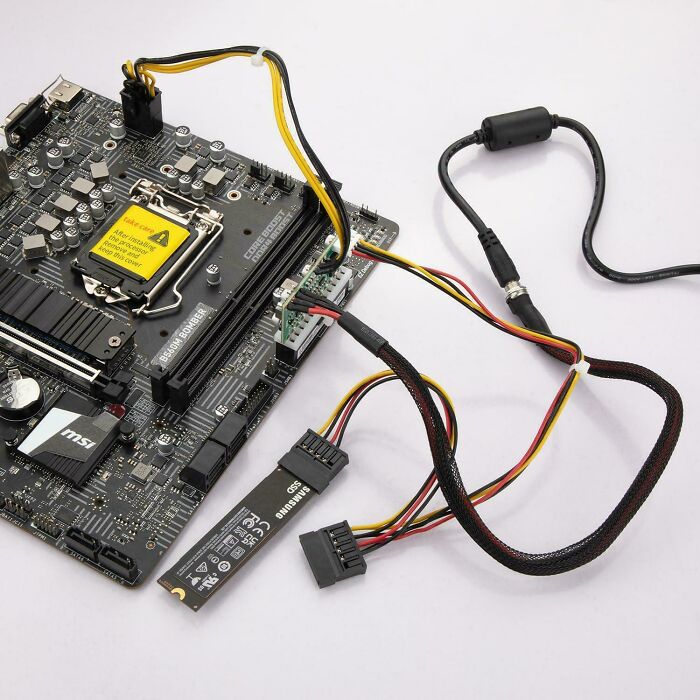
© Photo: Shrexcellence
#31 Enjoying My New 2tb USB3 External Hdd
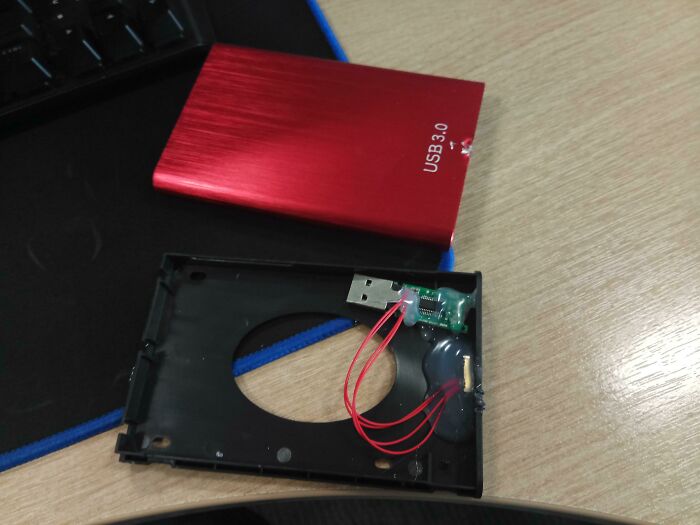
© Photo: Diniver
#32 It's 2022 And I Hate Sandisk For Still Using A Design Like This
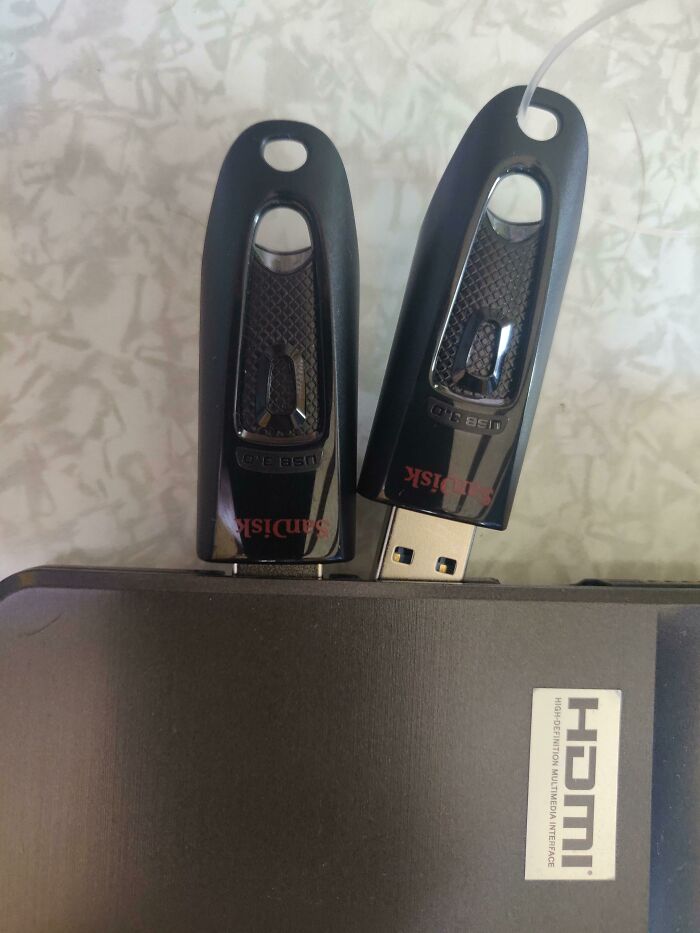
© Photo: cgmyt
#33 Customer Told Me His Phone Wasn’t Charging
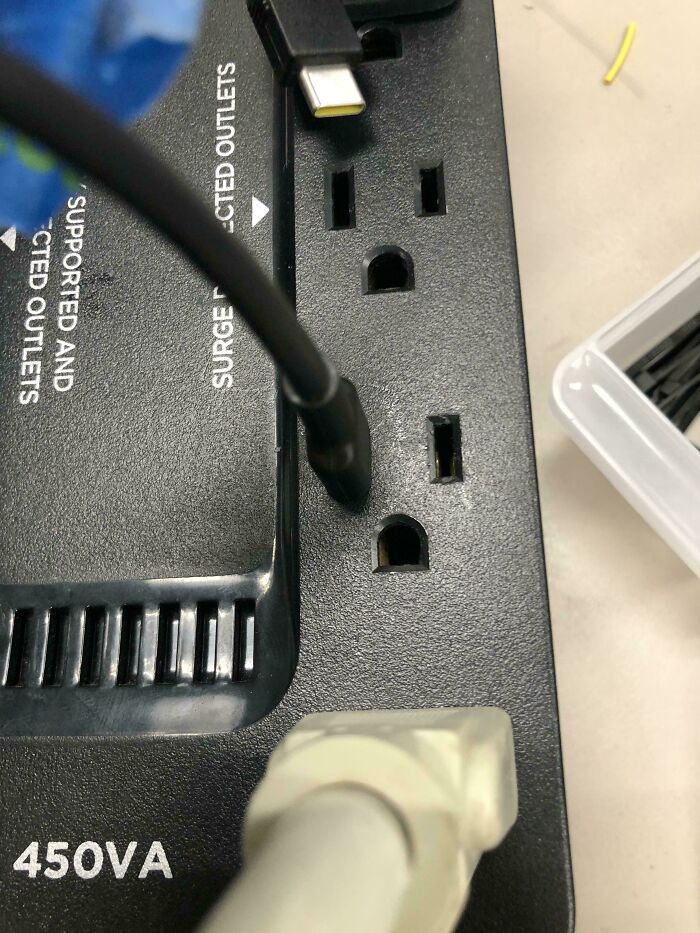
© Photo: awdev1
#34 Someone Asked If This Is Repairable
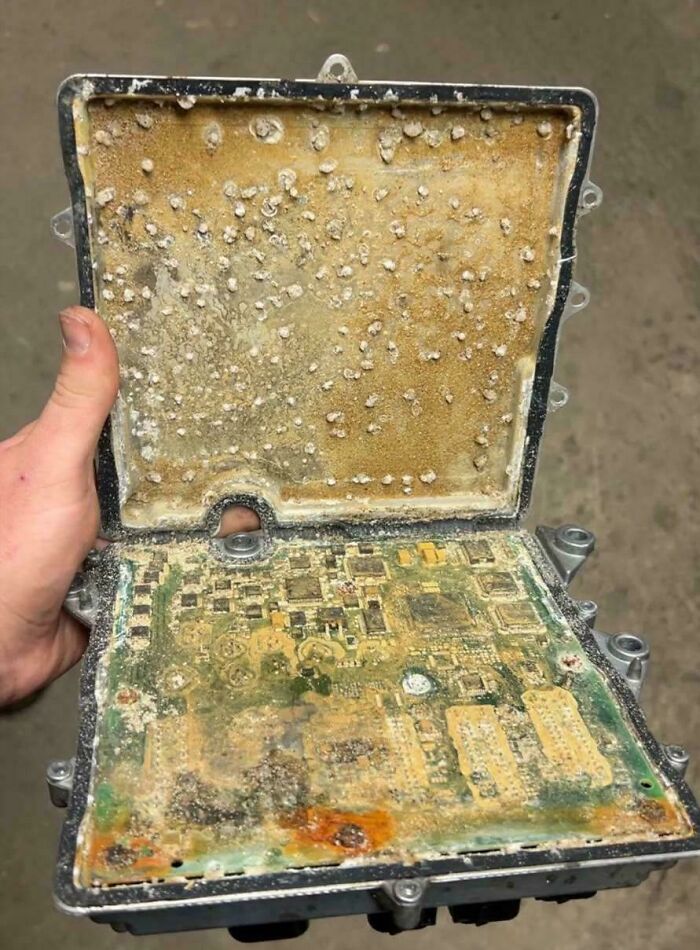
© Photo: Ambitious-Cat5804
#35 Mexican Airbnb Internet: Yes The Yellow Cable Is Fiber
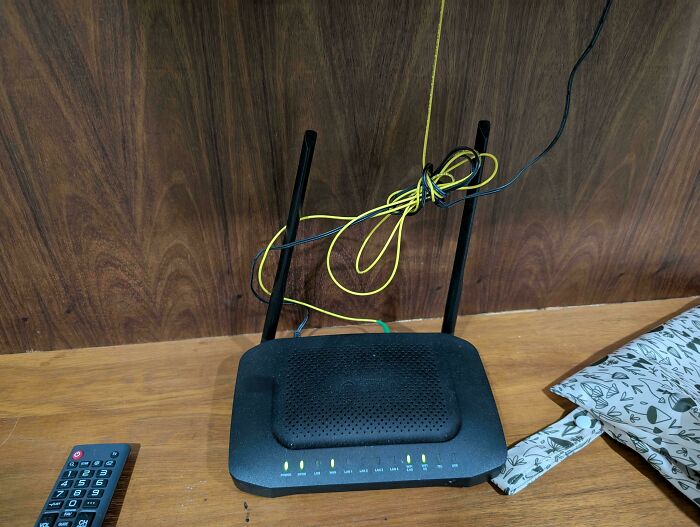
© Photo: Rockjob
#36 Forgot To Remove Micro SD When Opening Dashcam
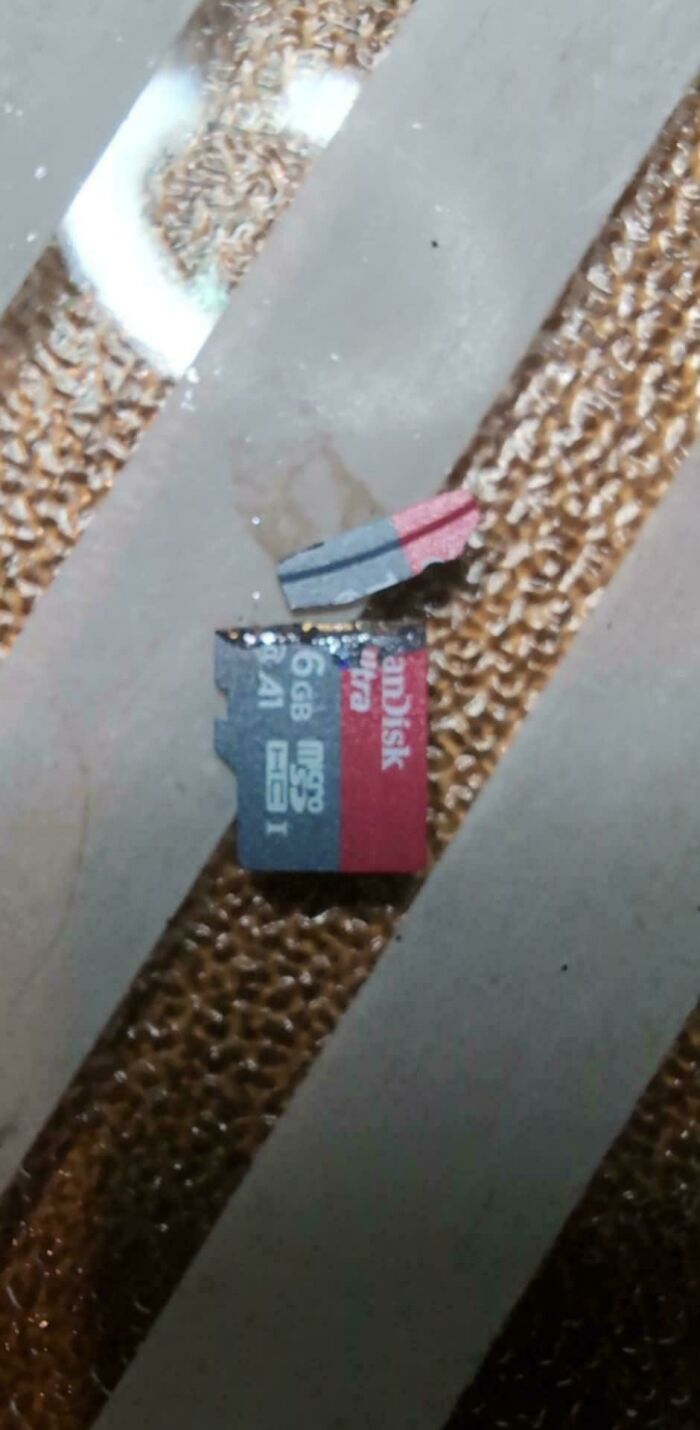
© Photo: Squirrelking666
#37 Got A Free Ps5 With A Surprise
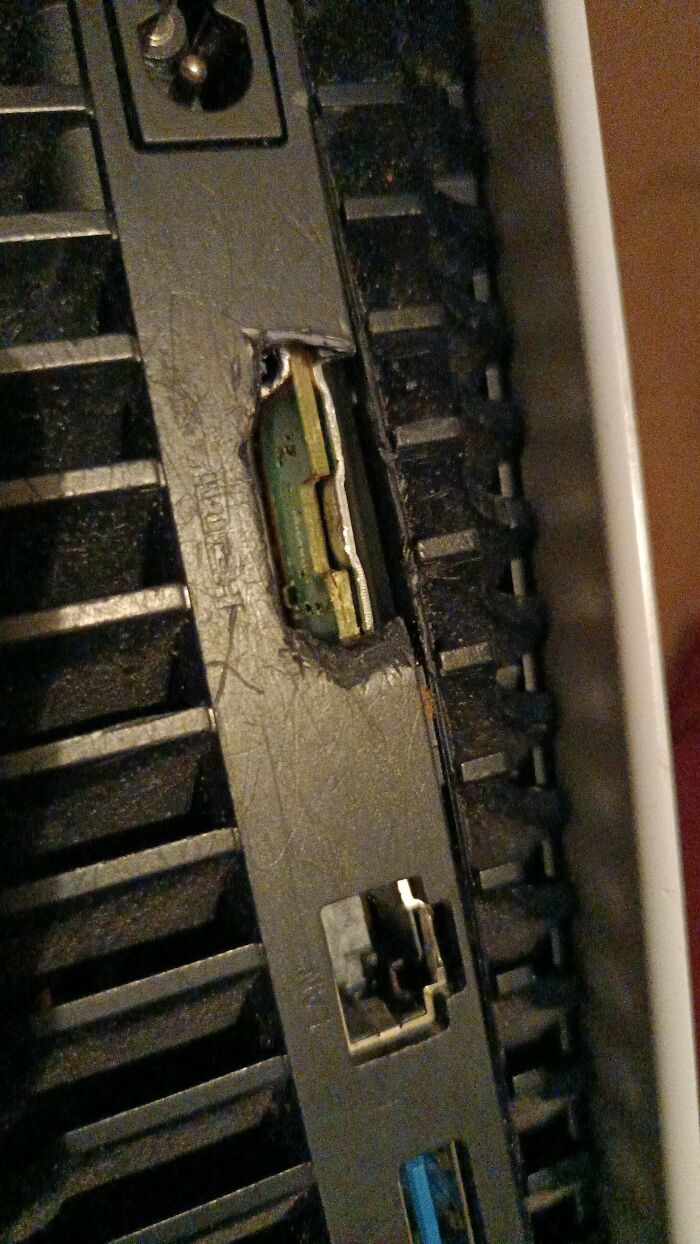
© Photo: Final_Register_7990
#38 Restaurant iPad Used Only For Pandora
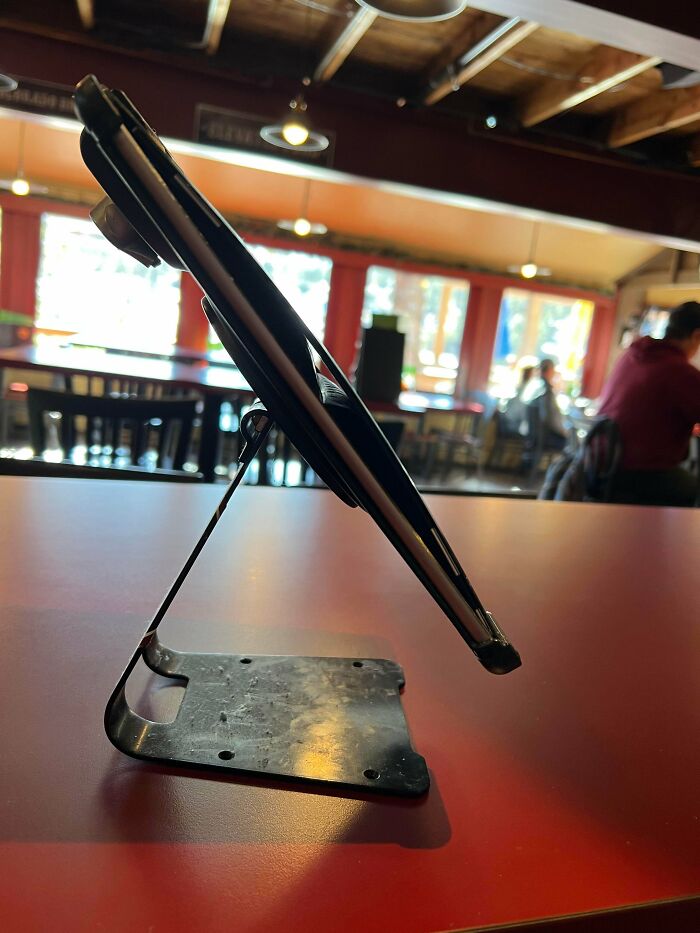
© Photo: zaidaalland
#39 The Laptop I Was Forced To Use At Work Today
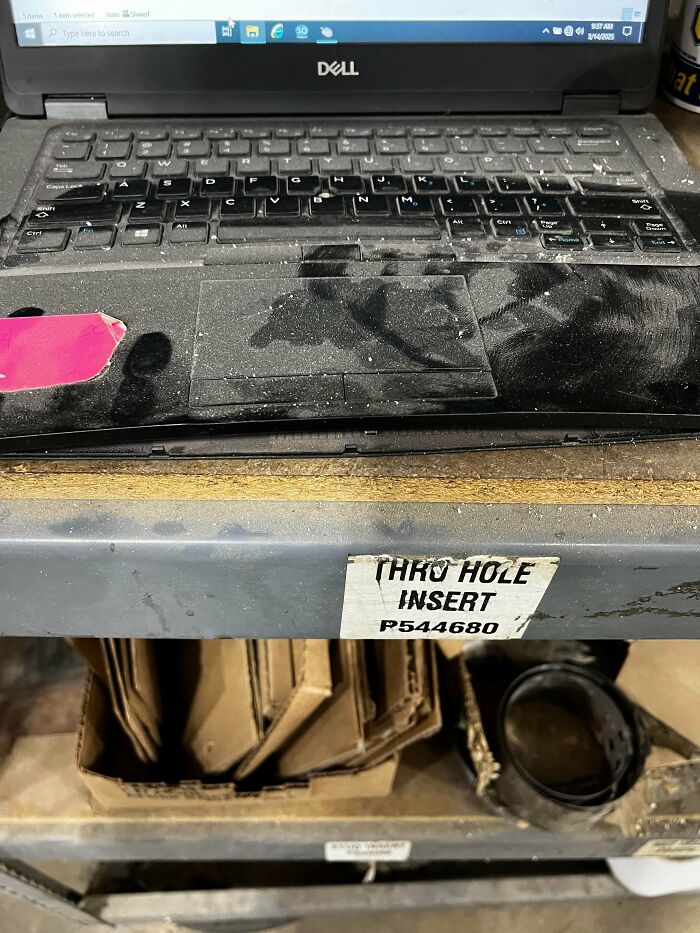
© Photo: BlackHairdBeauty
#40 A Person Paid For This Fiber Install. It's Working Somehow
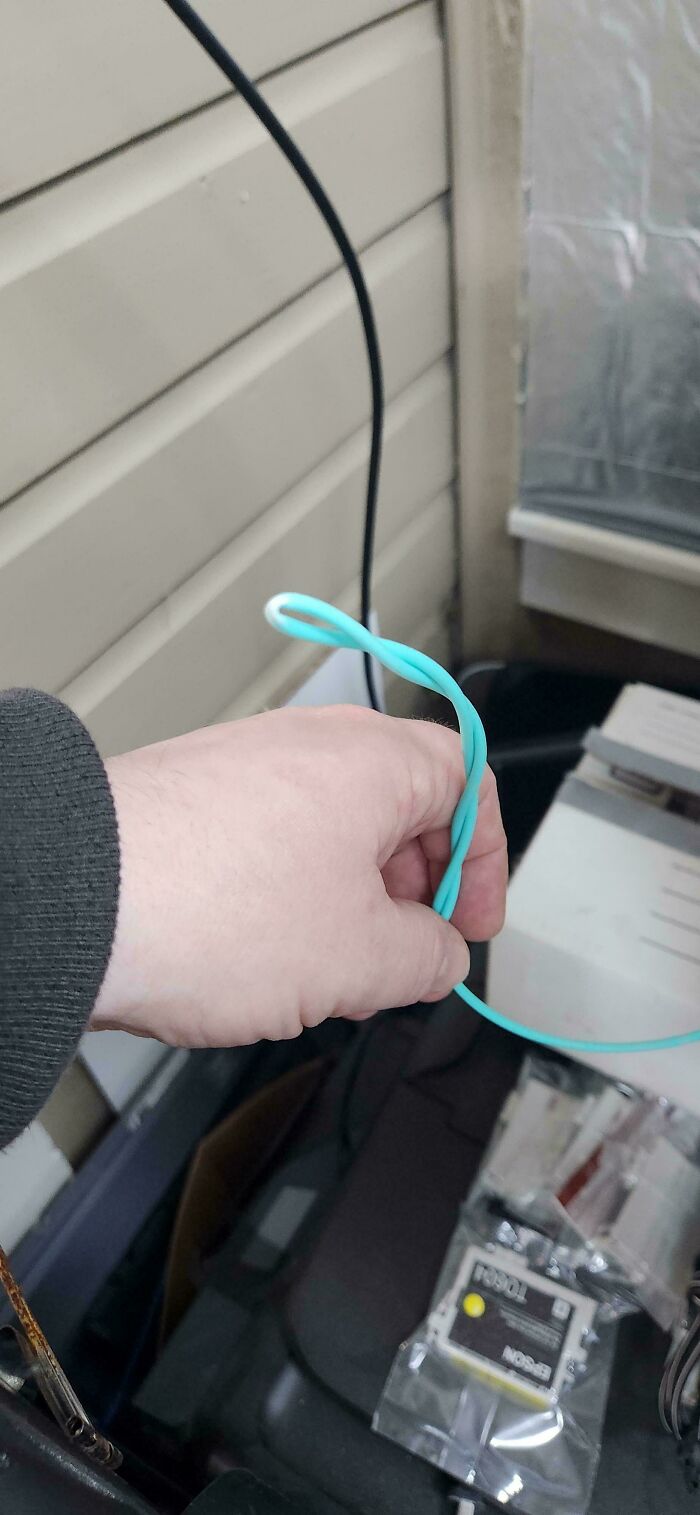
© Photo: ViciousFootstool
#41 Coworker Couldn't Plug Out Ethernet Cable So They Decided To Cut It
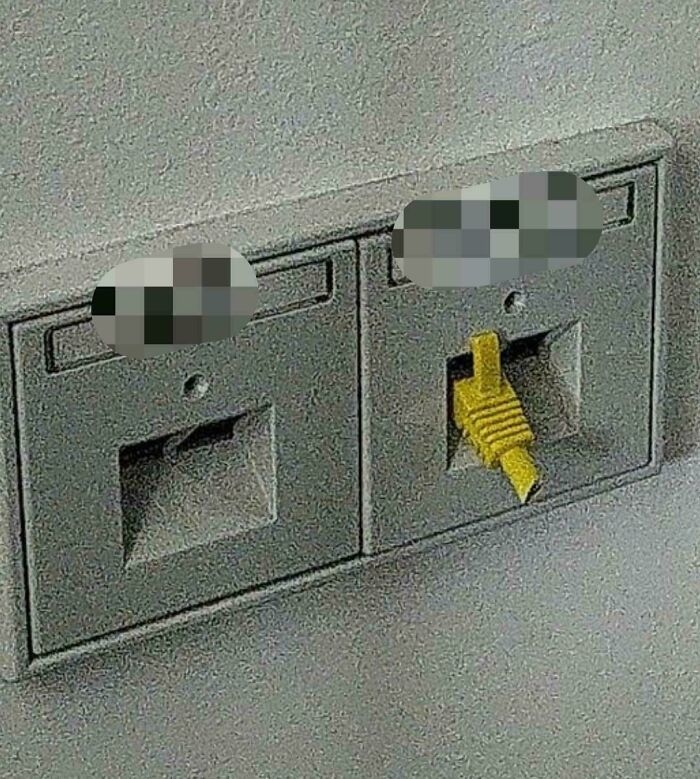
© Photo: SniffySplash769
#42 Was Installing A New Drive In My Friends PC, Discovered He Uses Ipohvac

© Photo: Ian15243
#43 Yeah.. USB-I
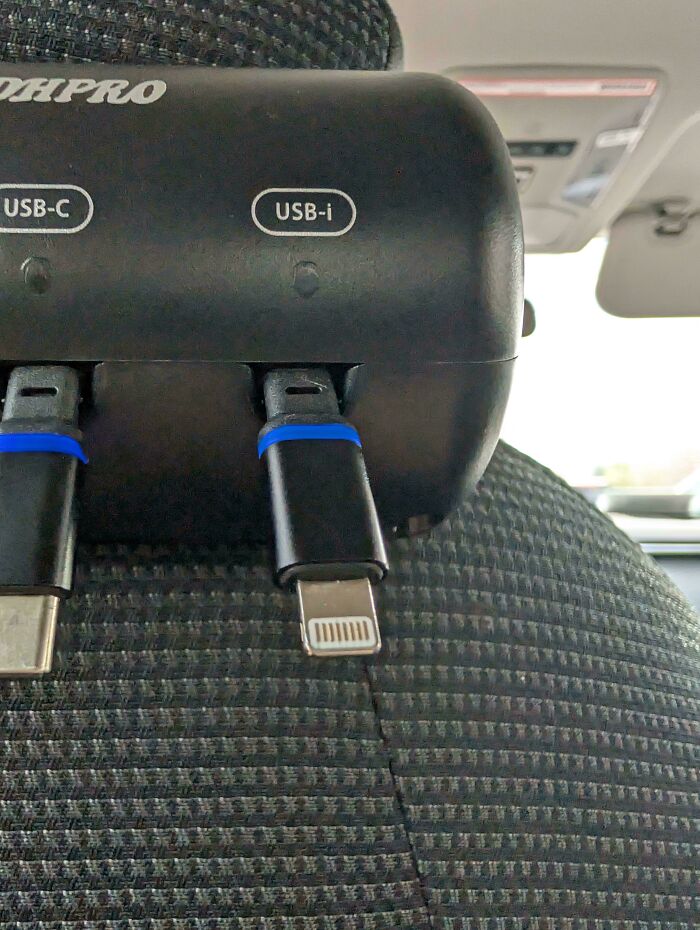
© Photo: Remarkable_Day7135
#44 "Why Is The Internet Not Working On The Dvr"
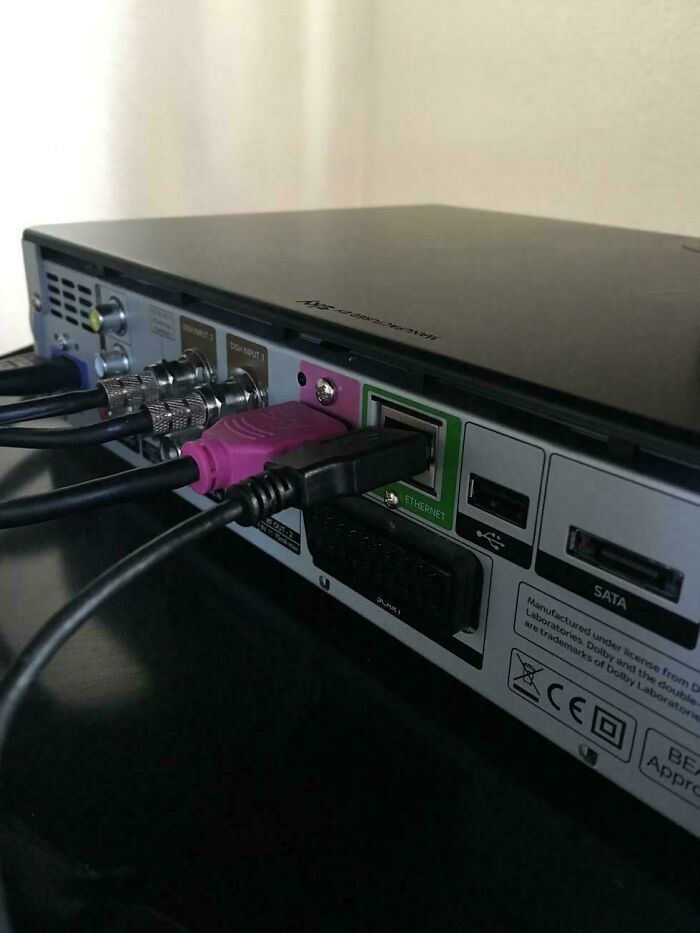
© Photo: zorthos1
#45 Student Claims "I Don't Know What Happened..."
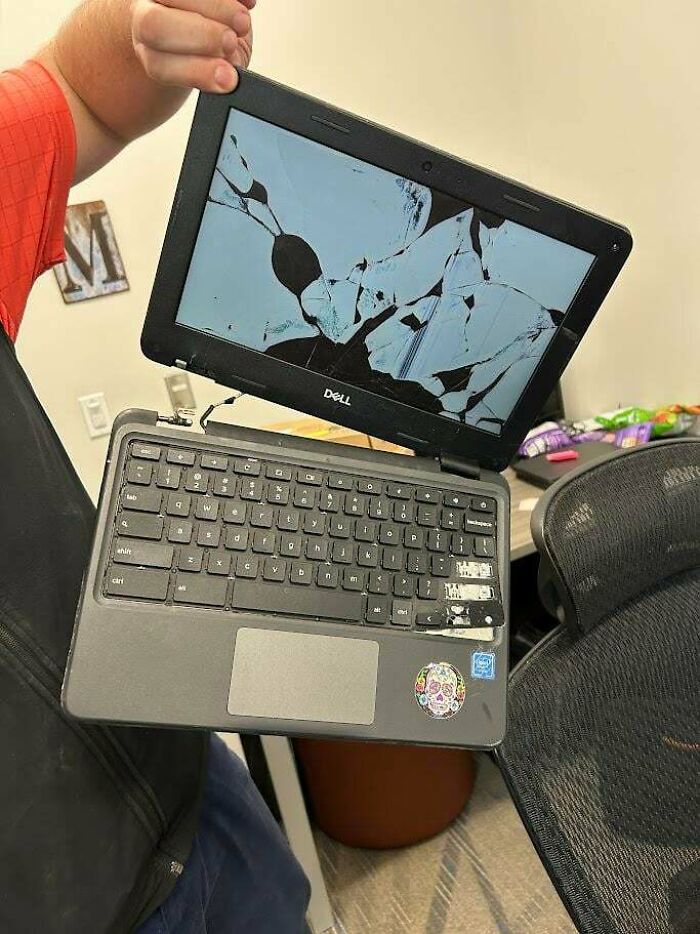
© Photo: JackABoi1983
#46 Customer Used Washing Up Sponges As Return Packaging, Thought It Was Funny
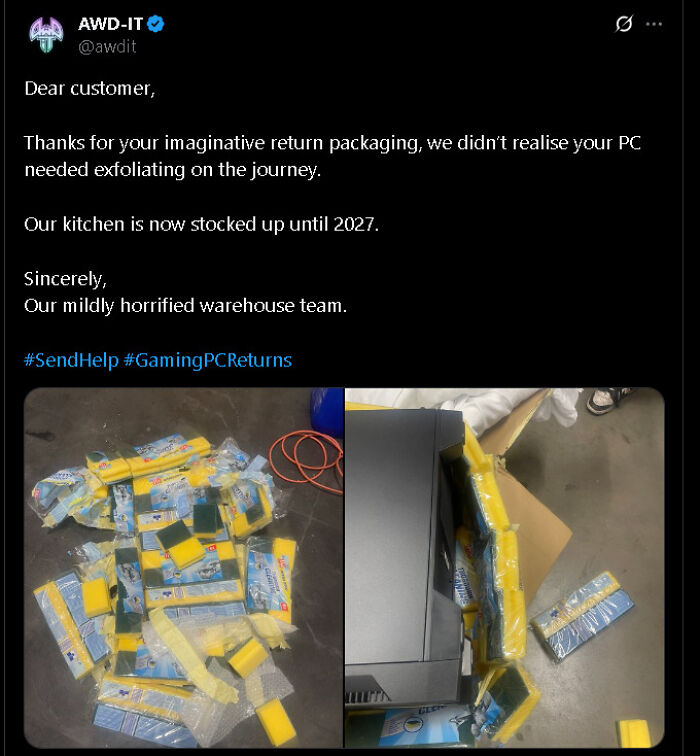
© Photo: [deleted]
#47 Server Room From My First Hospital Job
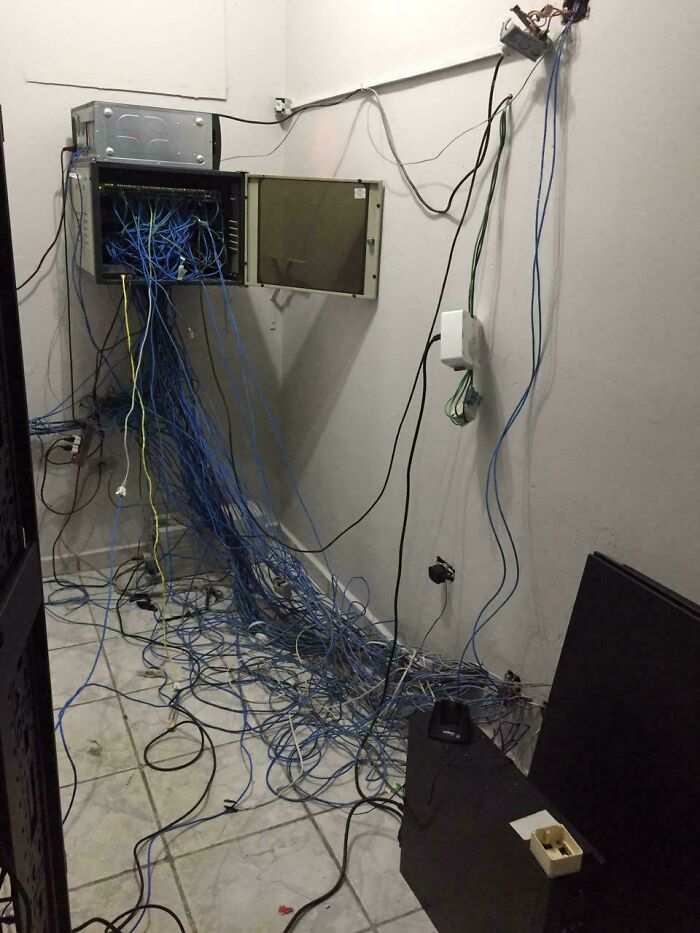
© Photo: Lgfxx
#48 Some Kid At My School Somehow Managed To Do This…

© Photo: Miserable_Gate_272
#49 Had This The Other Day. In 4 Years Doing It I've Never Seen This. Told User To Hold Back On The Gym For A Bit
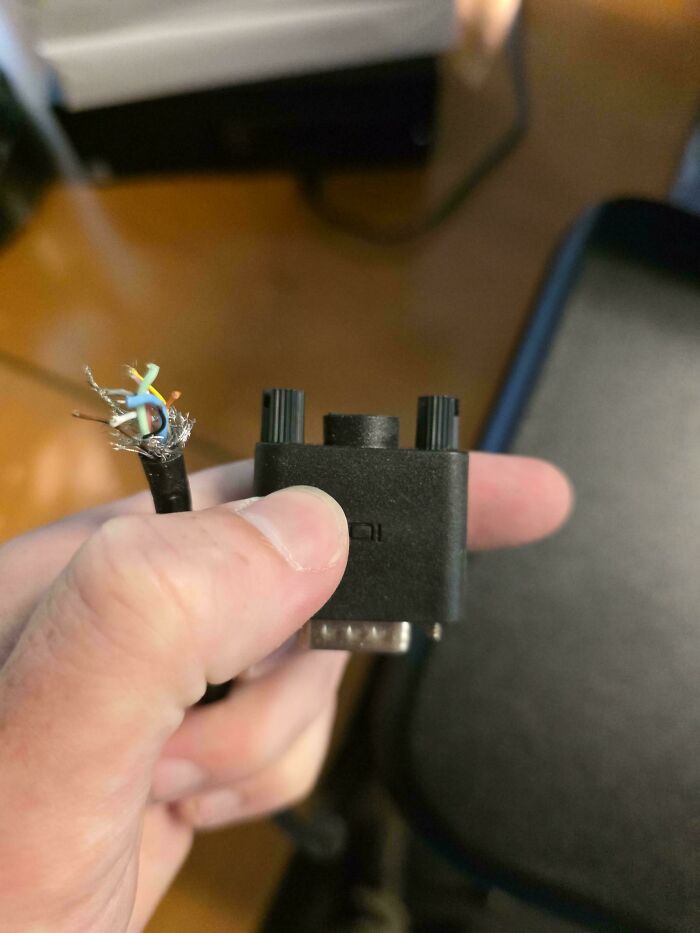
© Photo: shelydued
#50 All Mac Chargers Have Playstation Support
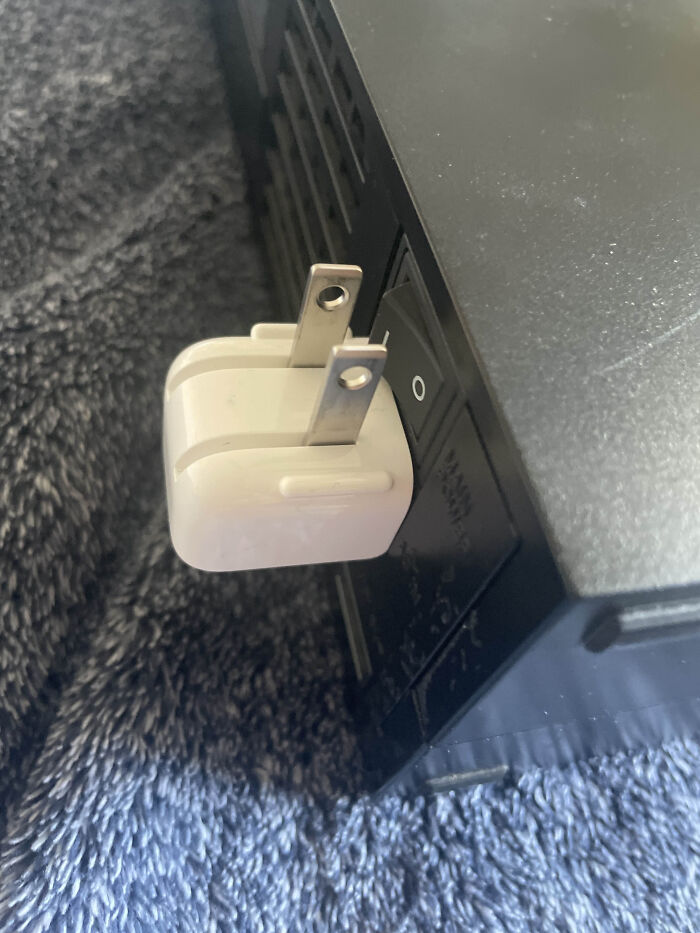
© Photo: Rex-ystem
#51 User Brought In Their Mac For Help Setting Up A Vpn

© Photo: taquitoburrito1
#52 "Not Booting, Makes A Loud Sound When Powered On."
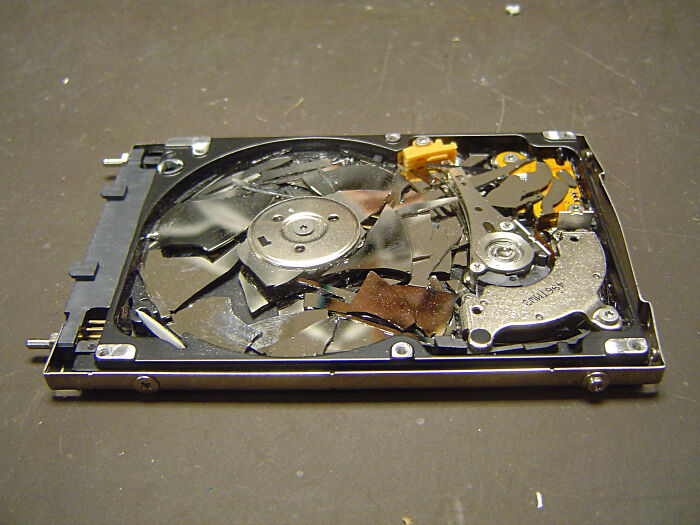
© Photo: fuchsnudeln
#53 "Welp That's 700 Dollars Down The Drain..."
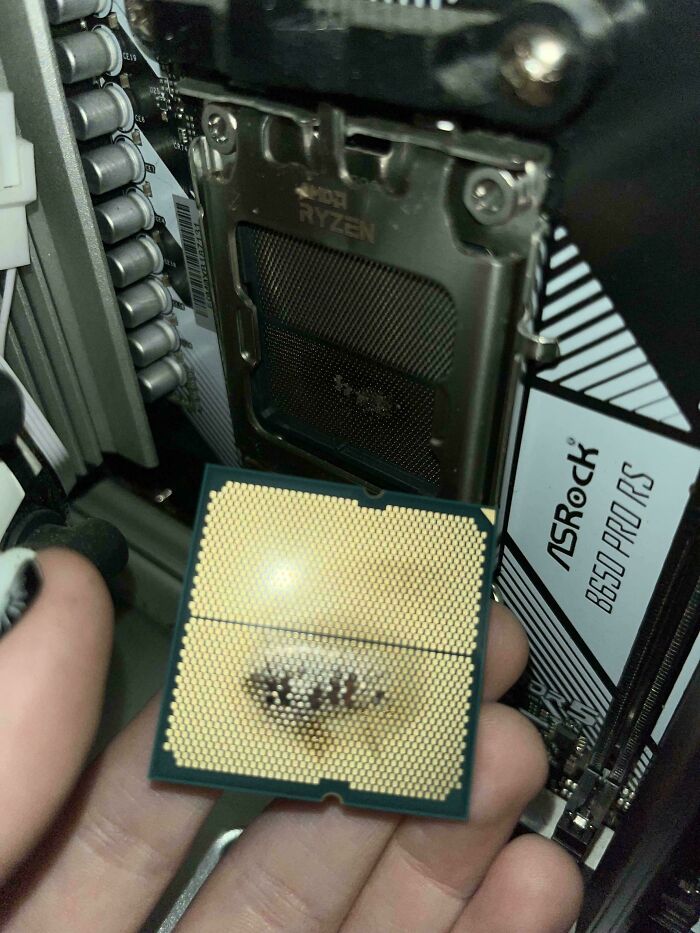
© Photo: Mr_KayZ
#54 If It Works, Don't Touch It
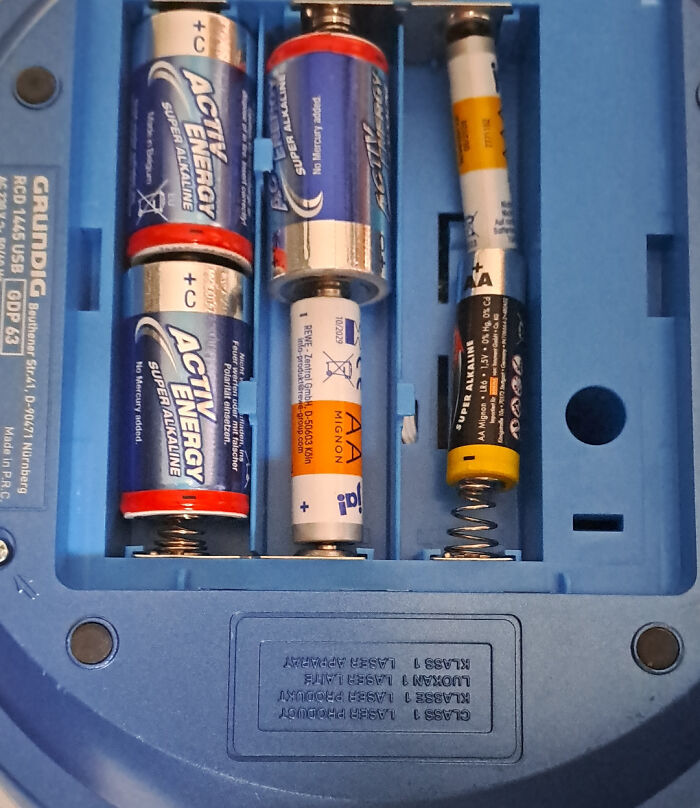
© Photo: TechniCraft
#55 Found The Internet Just Laying On The Ground
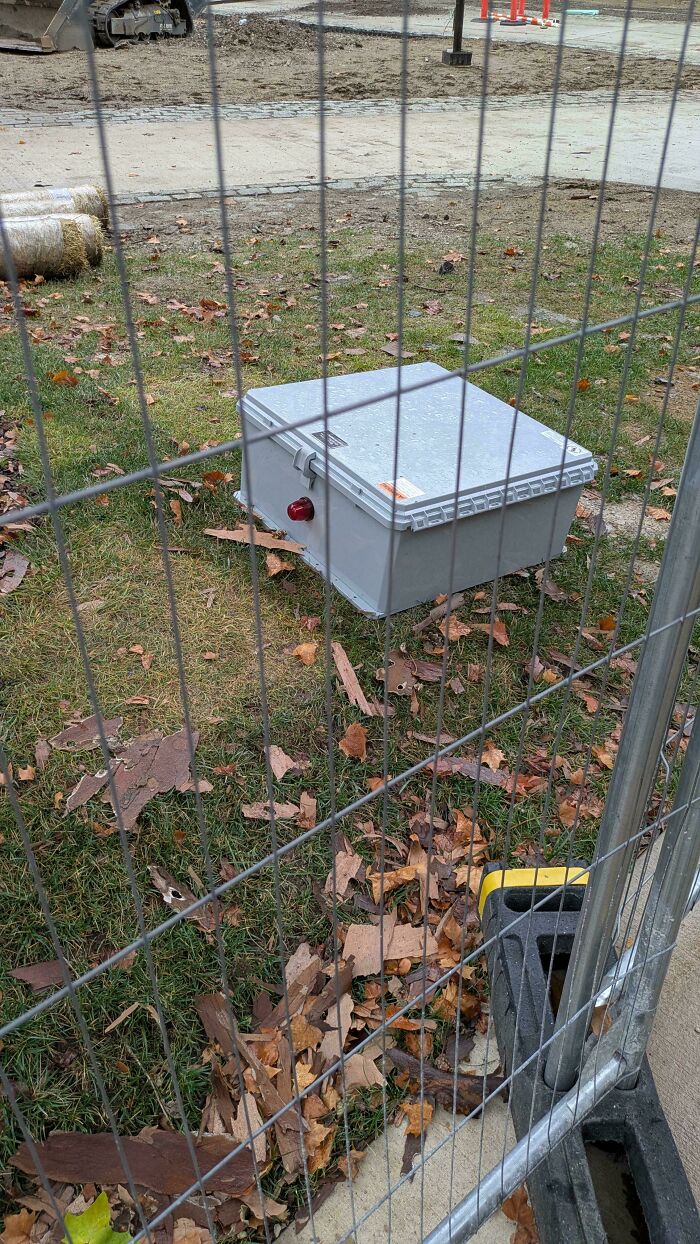
© Photo: daedalus9973
#56 Yeah I'm Just Gonna Make My Own Cpu Cooler Instead Of Buying One

© Photo: DontKnow_Cuzzz
#57 Got A Ticket Today. Windows Can't Find Drive

© Photo: GreyWardenDane
#58 Nevermind, 100mbps Will Do
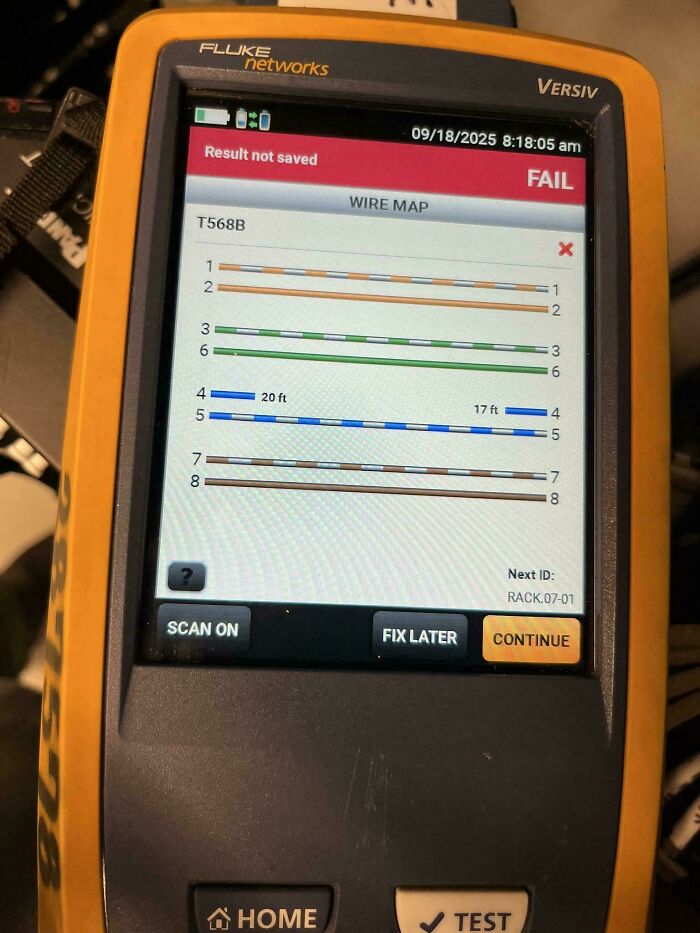
© Photo: Edned_
#59 (Self Shame) My First Attempt At Ethernet
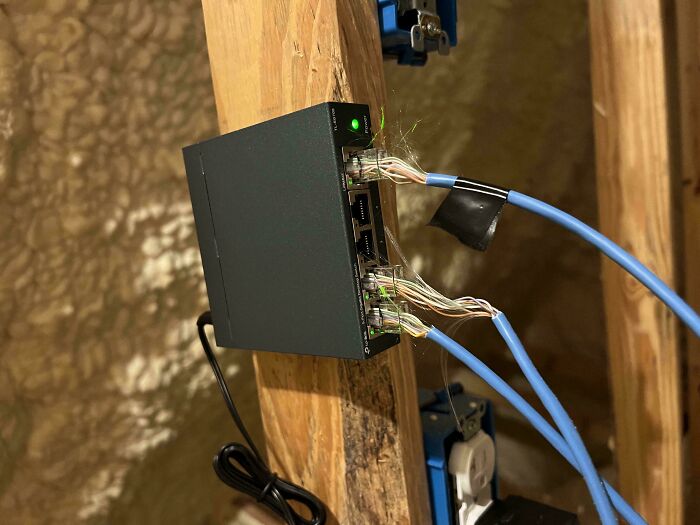
© Photo: Brettilicious69
#60 This Was My Customers Solution To Her Broken Laptop Hinge
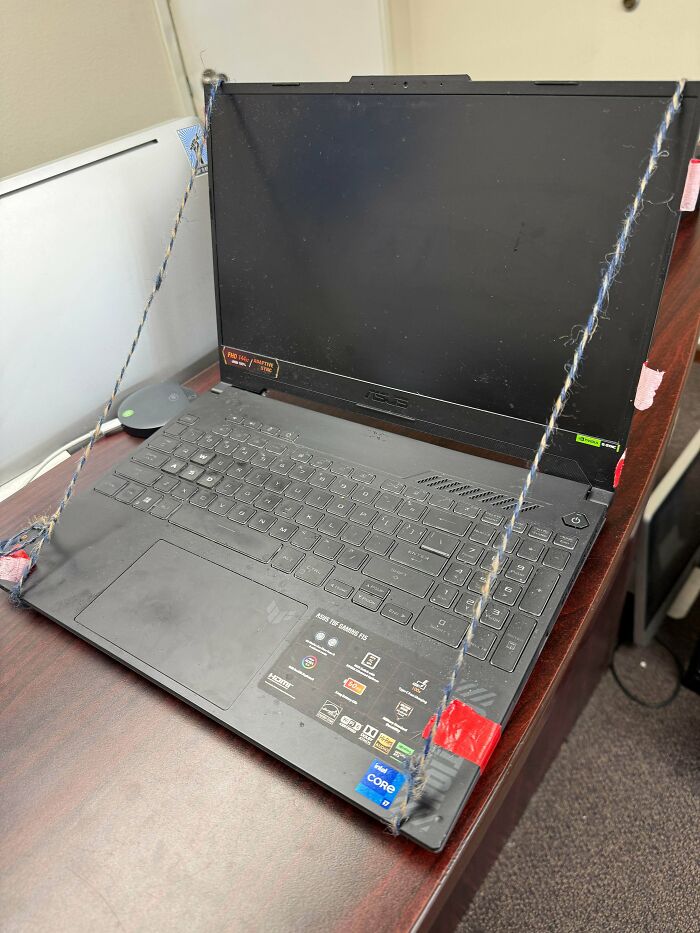
© Photo: rxtechrepair
#61 My New PC Doesn't Turn On
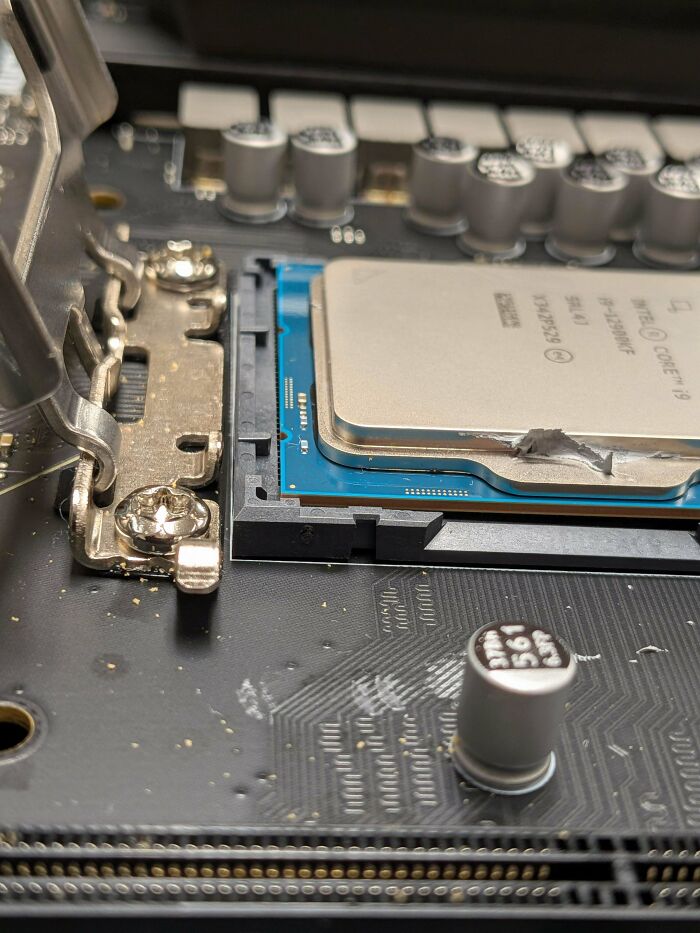
© Photo: syntax_erorr
#62 Don't Power 12 Amplifiers From 1 Strip
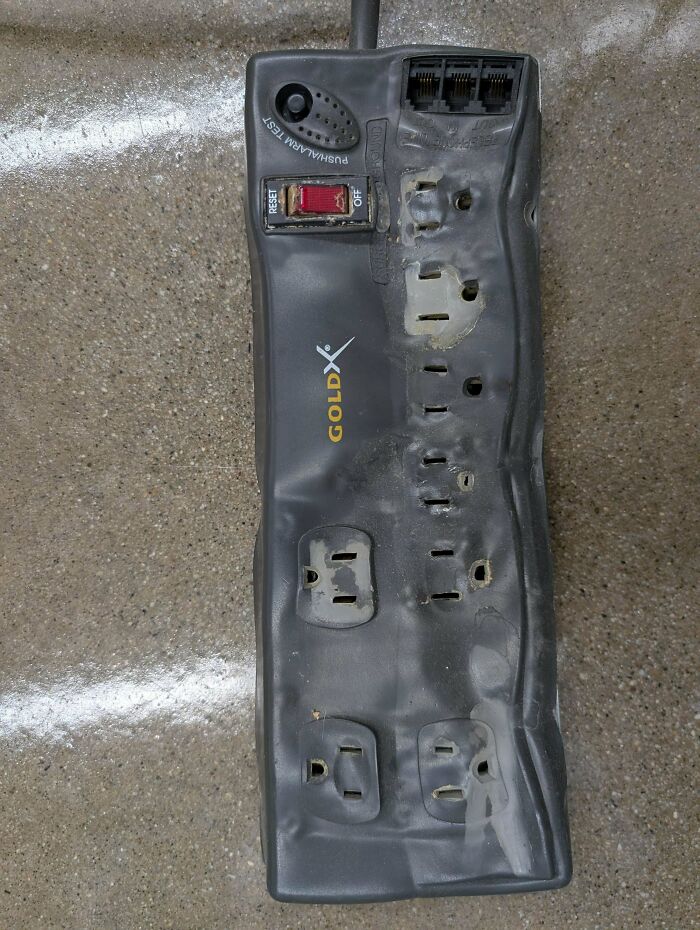
© Photo: ReallyQuiteConfused
#63 Pic Of My Classmates Opening A Crt (They Didn't Go Further Than This)
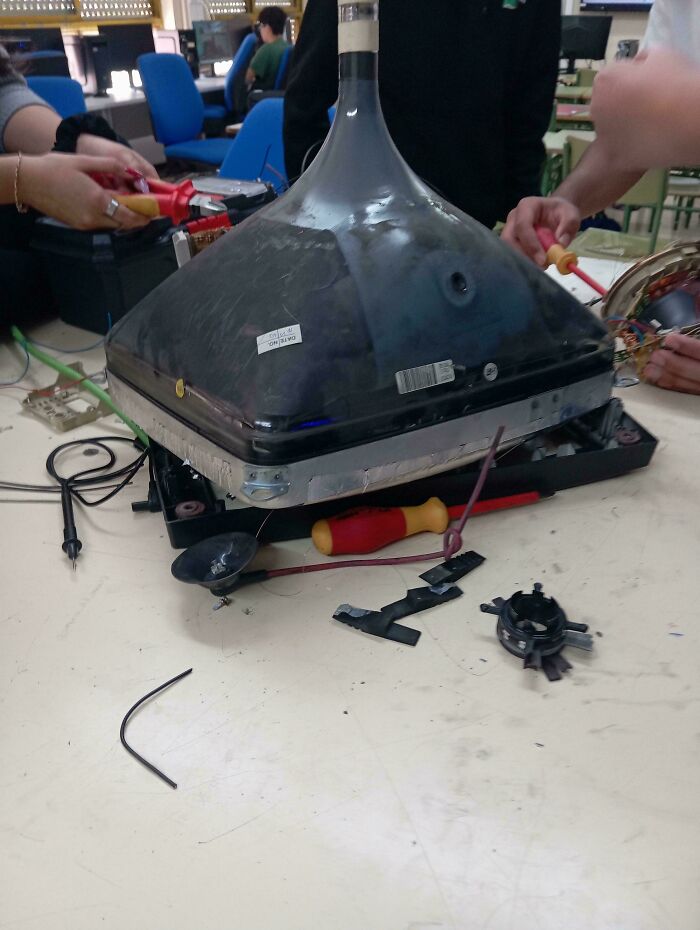
© Photo: Icy-Seaworthiness486
#64 System Came In To The Shop With “Accidentally Spilt A Bowl Of Soup Into Top Of Case.”
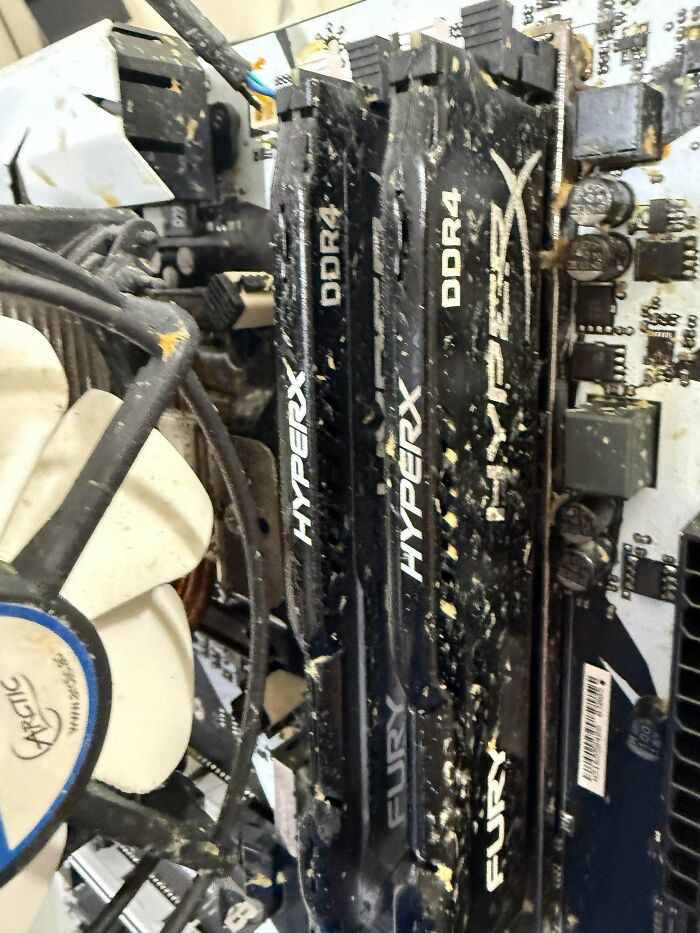
© Photo: MysticSmear
#65 Some Dude From The Pcmr Subreddit Has A Nest On His Stick On Ram. How Does This Even Happen??

© Photo: Independent-Ball3215
#66 Translation: “How The Heck Are You Supposed To Set Those Legs? Keeps Falling Over”

© Photo: roadredsa
#67 A Person In A Game Boy Reddit Group Wondered Why Their Copy Of Pokémon Didn't Work That Well After They Soldered A New Battery
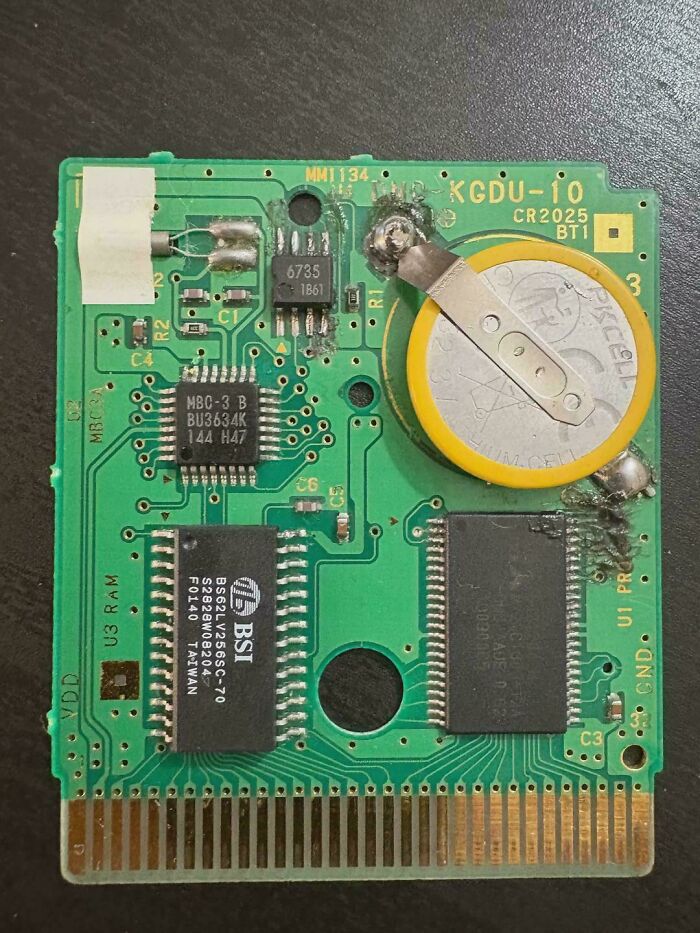
© Photo: Sarato88
#68 The WiFi Was A Little Sporadic In This Room
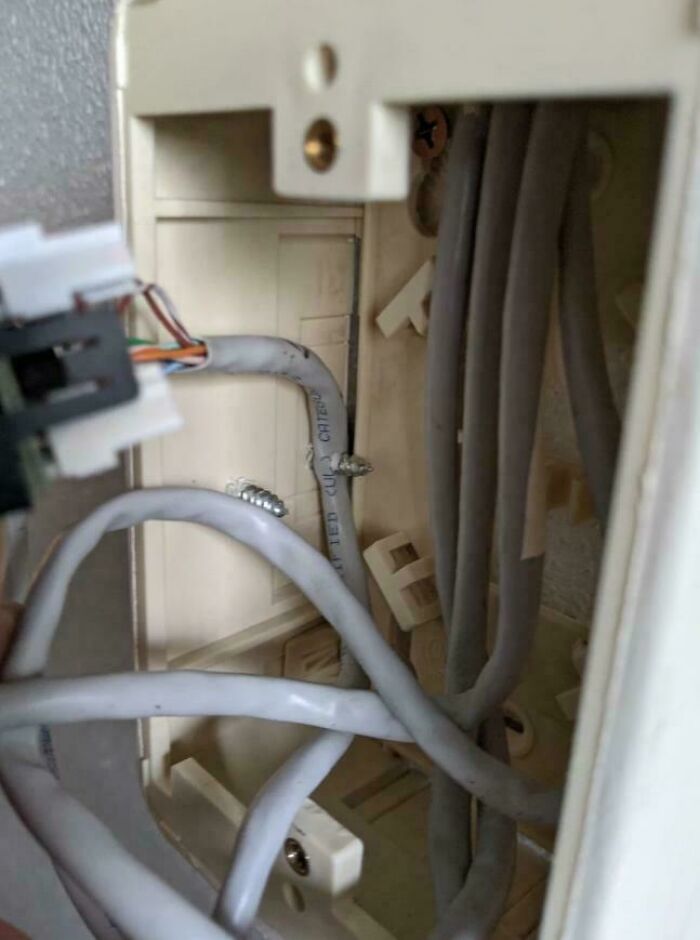
© Photo: HighMarshalSigismund
#69 My Mom's Smart Watch Did This After Being Used For 20 Days
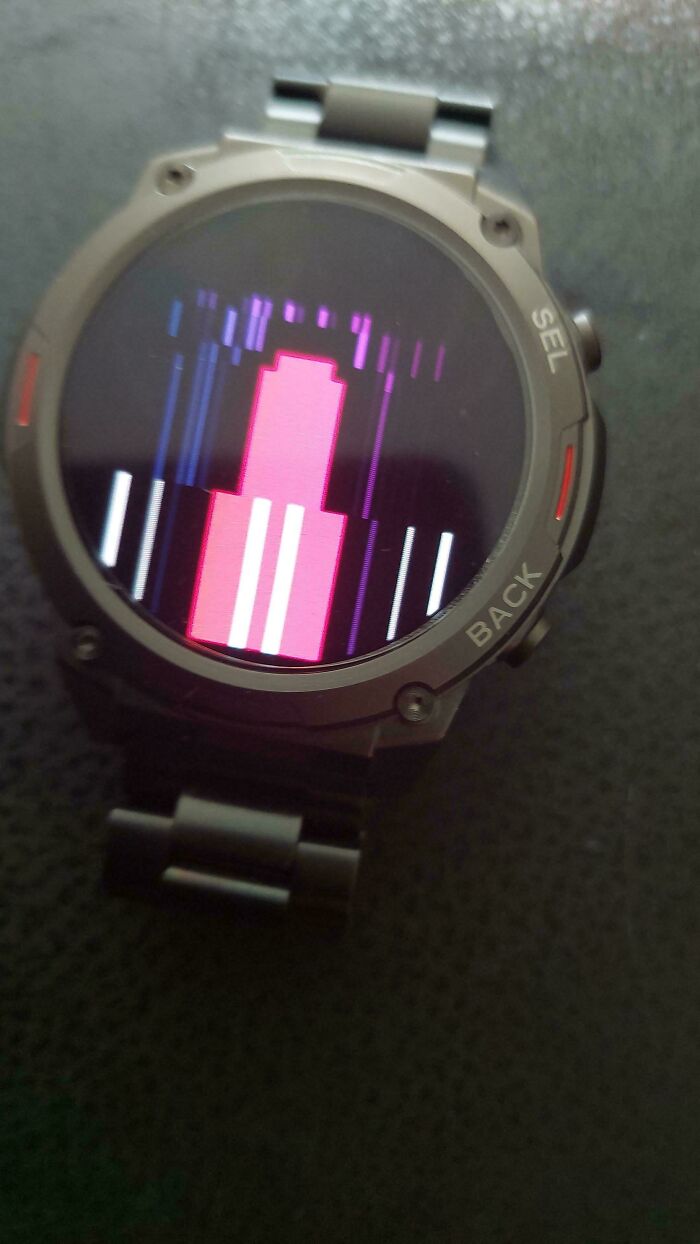
© Photo: DuckyV2YT
#70 Battery Issue
Ain’t got no gas in it
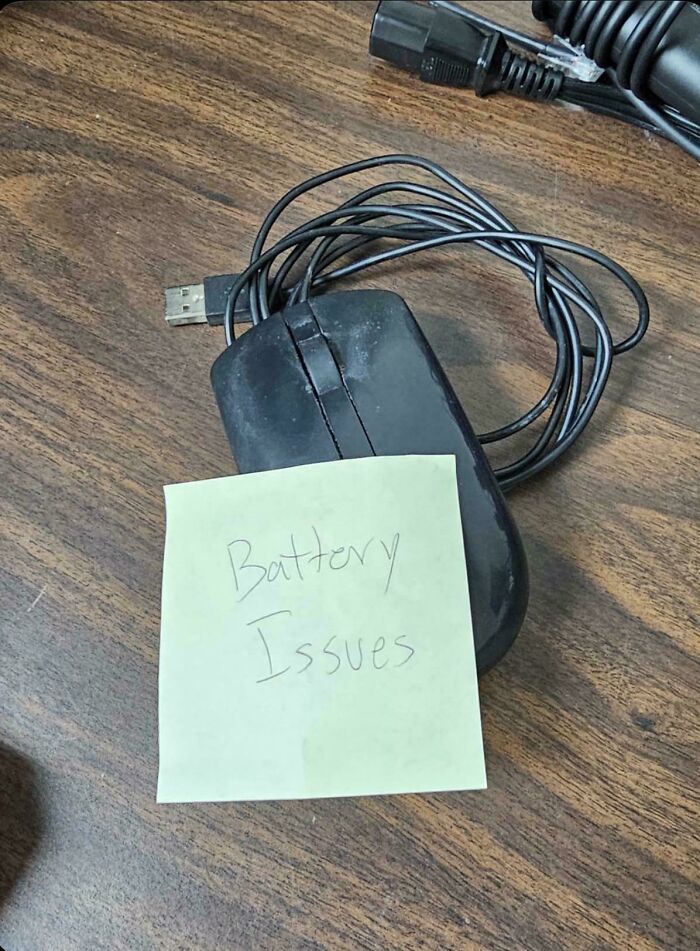
© Photo: MrPresident7777
#71 Dell Returned My Laptop After “48 Hours Of Stress Testing.” This Is The Temperature At Idle
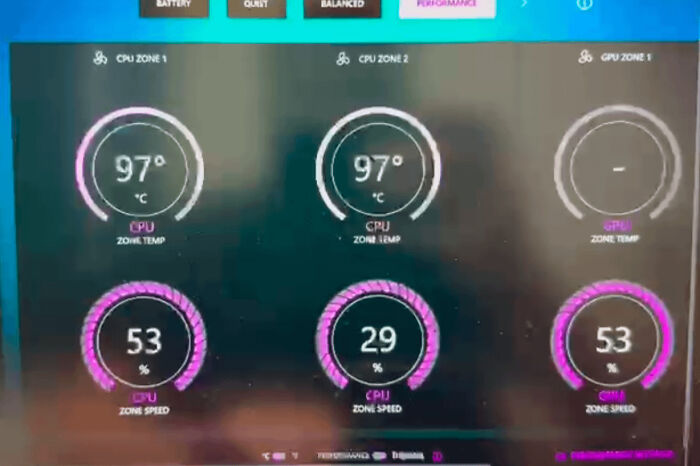
© Photo: Financial_Owl135
#72 Reddit User Disables Vrm Throttling On Budget Board, Can't Figure Out Why His Vrm Blew Up
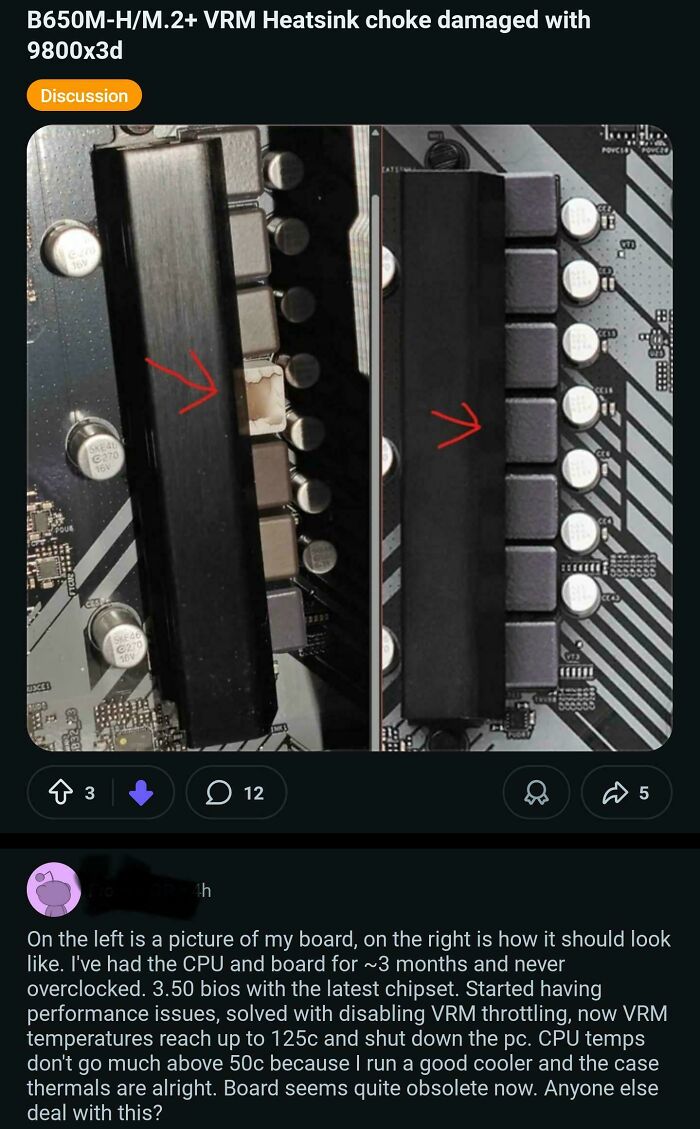
© Photo: OCAMAB
#73 My Homemade Headphones I Used At A Factory For 2 Yrs That Banned Headphones And Had Daily Checks
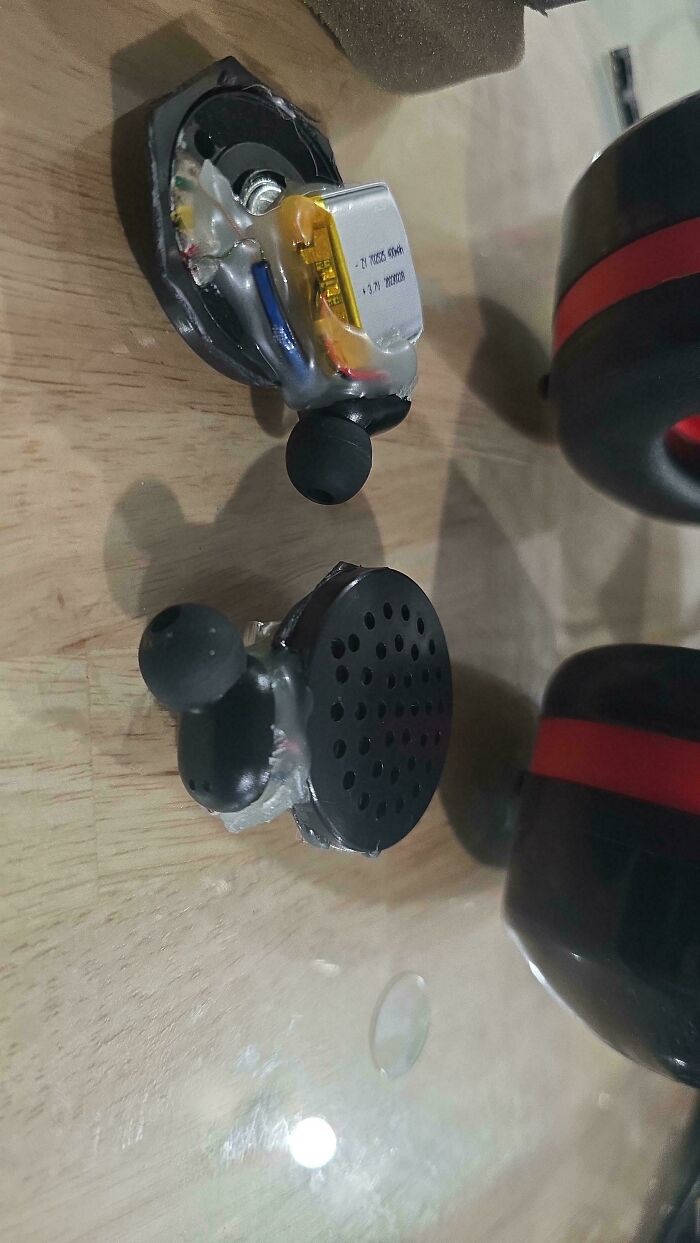
© Photo: Toraadoraa
#74 MacBook Dropped In The Sea And Recovered By A Diver A Day Later. I Don't Think I'm Going To Be Able To Fix This One
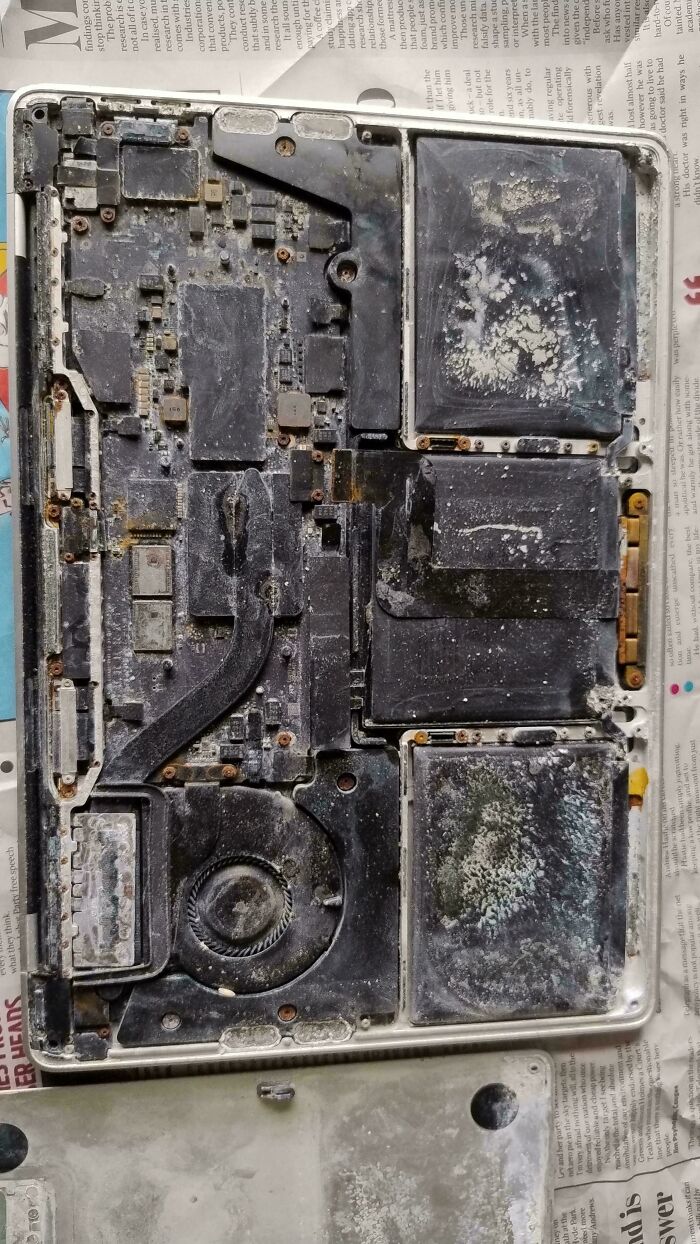
© Photo: dedokta
#75 Me: Just A Little Defrag Won't Hurt. Ssd: After 1.3pb Of Trauma, I Walk Among The Dead
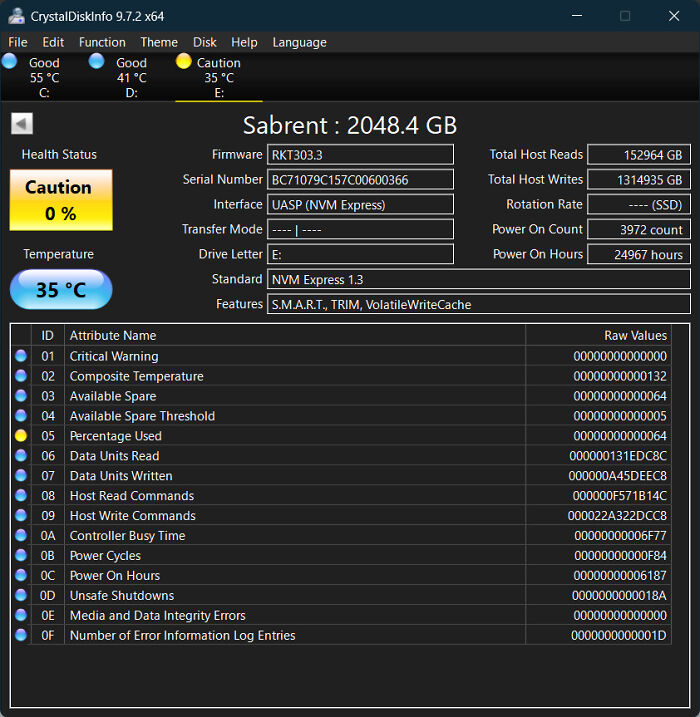
© Photo: Andres0572
#76 It's "Outside Rated" Until It Isn't
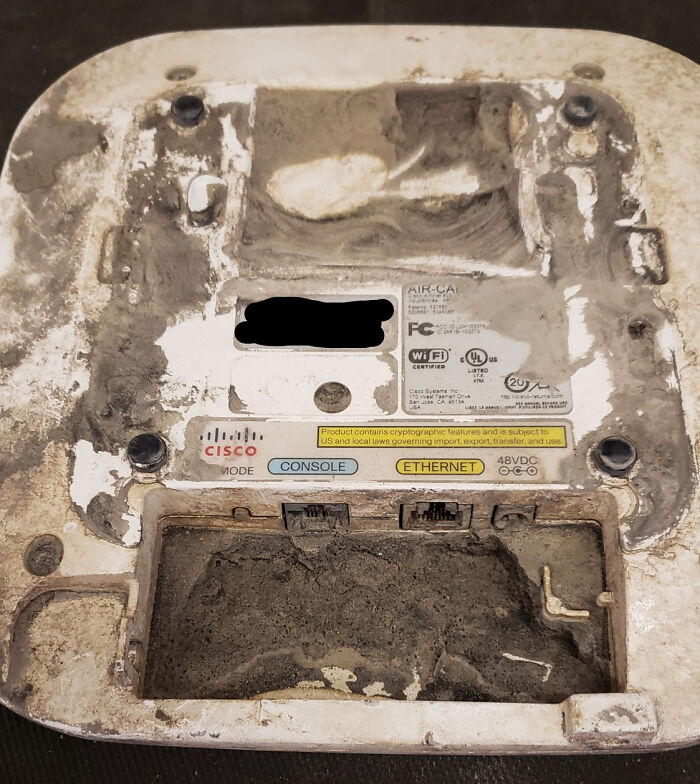
© Photo: Sunneh_Delight
#77 My Uncle Got A New Laptop So He Decided To "Delete" The Files On His Old Laptop With A Hammer
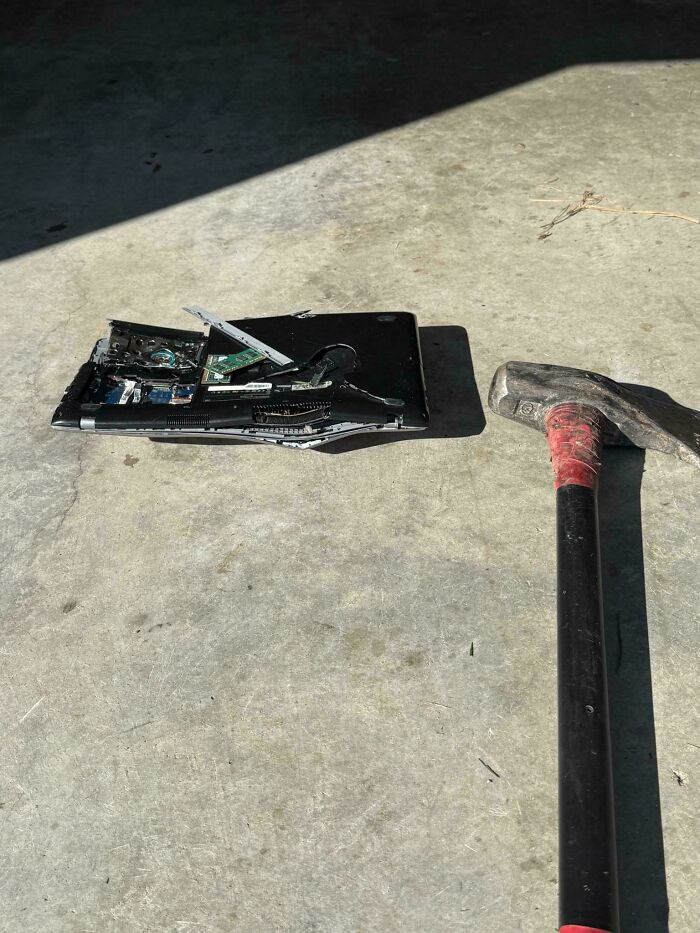
© Photo: ZombeePharaoh
#78 Why?
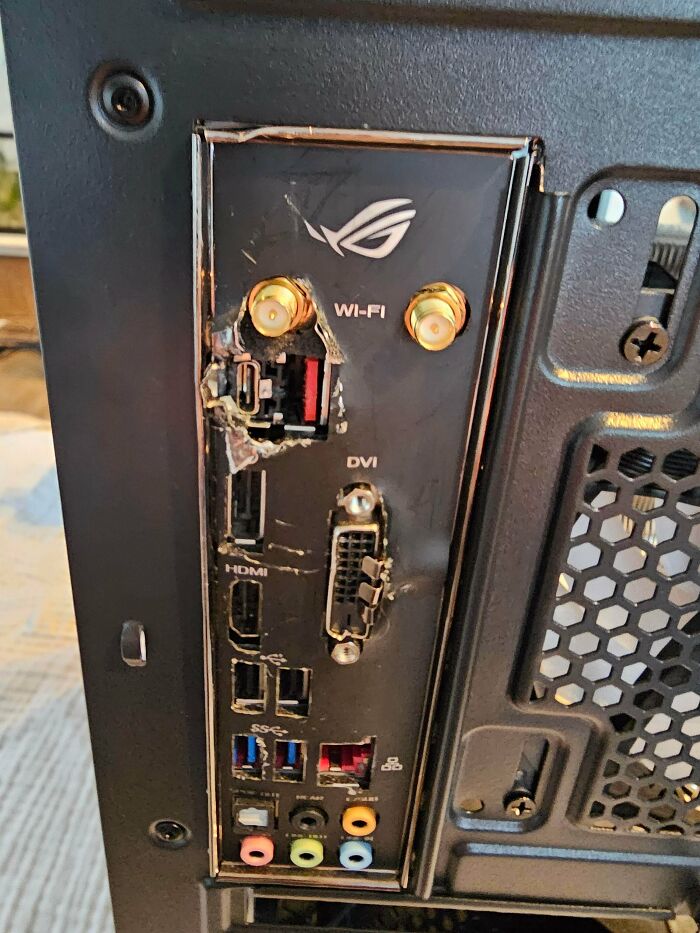
© Photo: DepartmentBitter9027
#79 Was Asked To Fix A Colleague’s Laptop And Wanted To Check The Battery
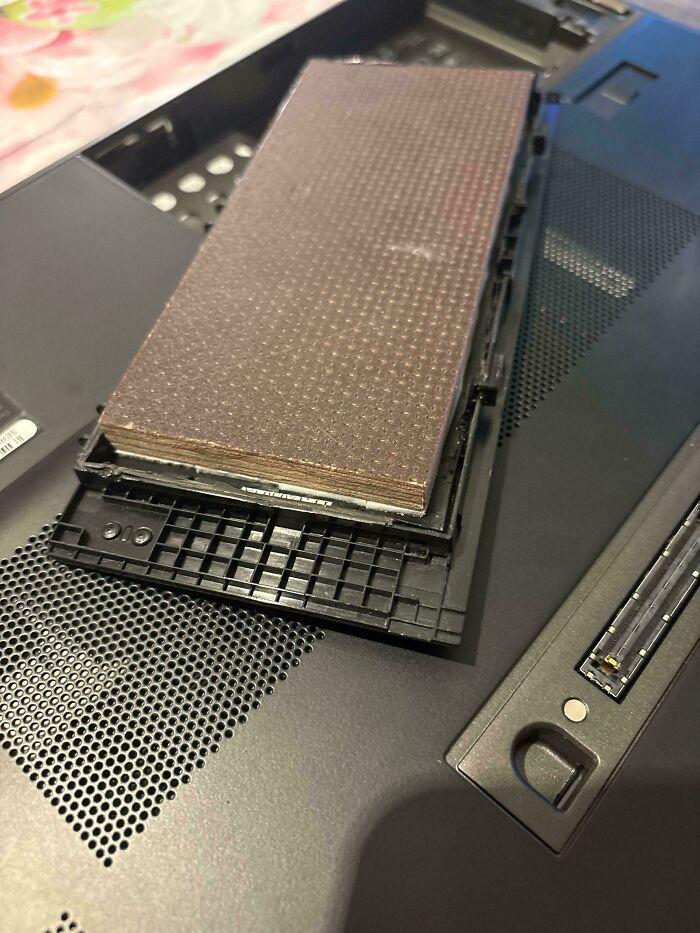
© Photo: P4inzOnPC
#80 Network Switch After A Lightning Strike
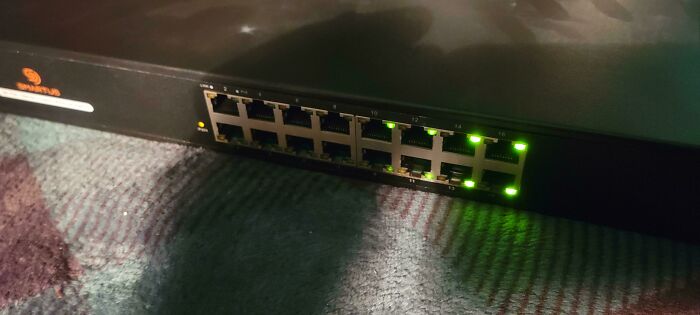
© Photo: black_chris_hansen
#81 Fairly New Oled TV At My Dads House
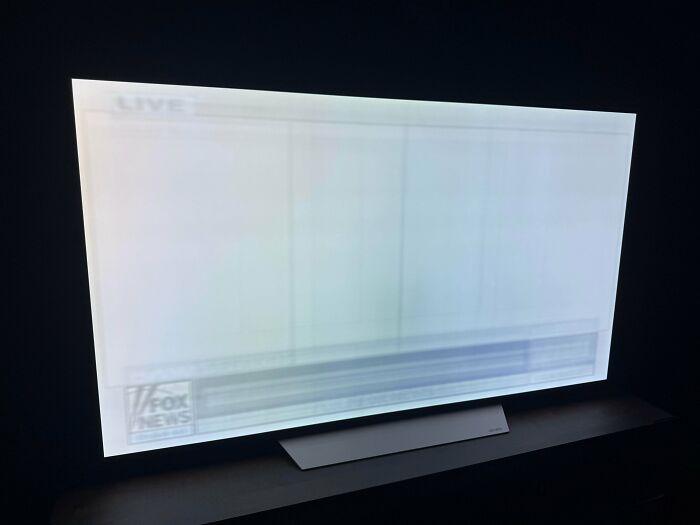
© Photo: magic234
#82 Using A Soldering Iron To Remove Screw
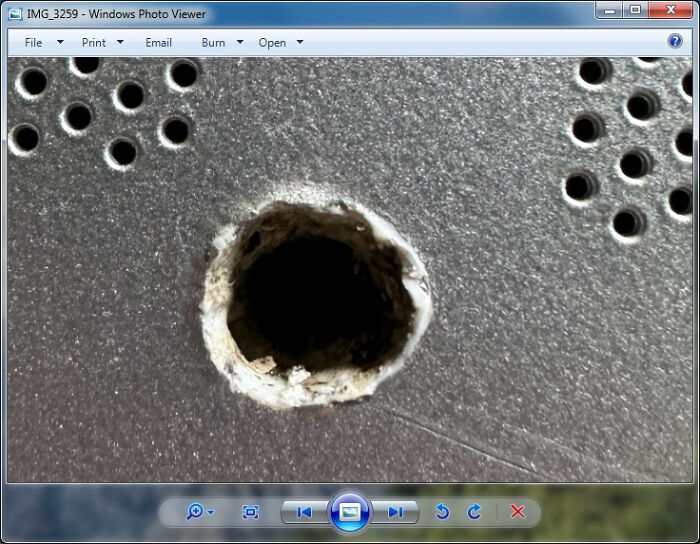
© Photo: Some-Challenge8285
#83 Never Let Your Younger Brother Use Your Computer For Roblox
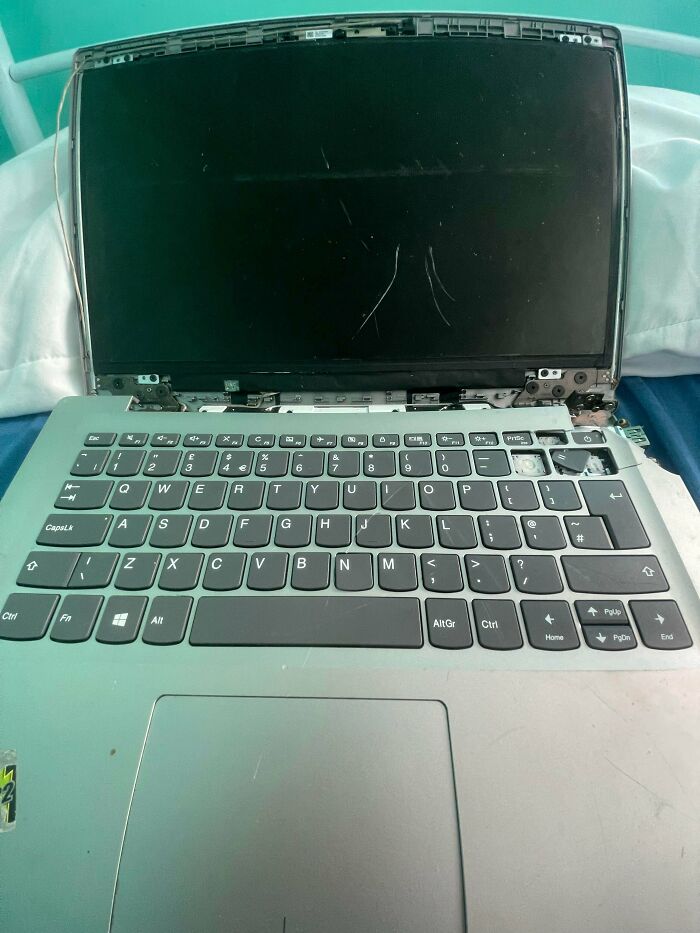
© Photo: MikeyFos
#84 What Is He Tell Me?
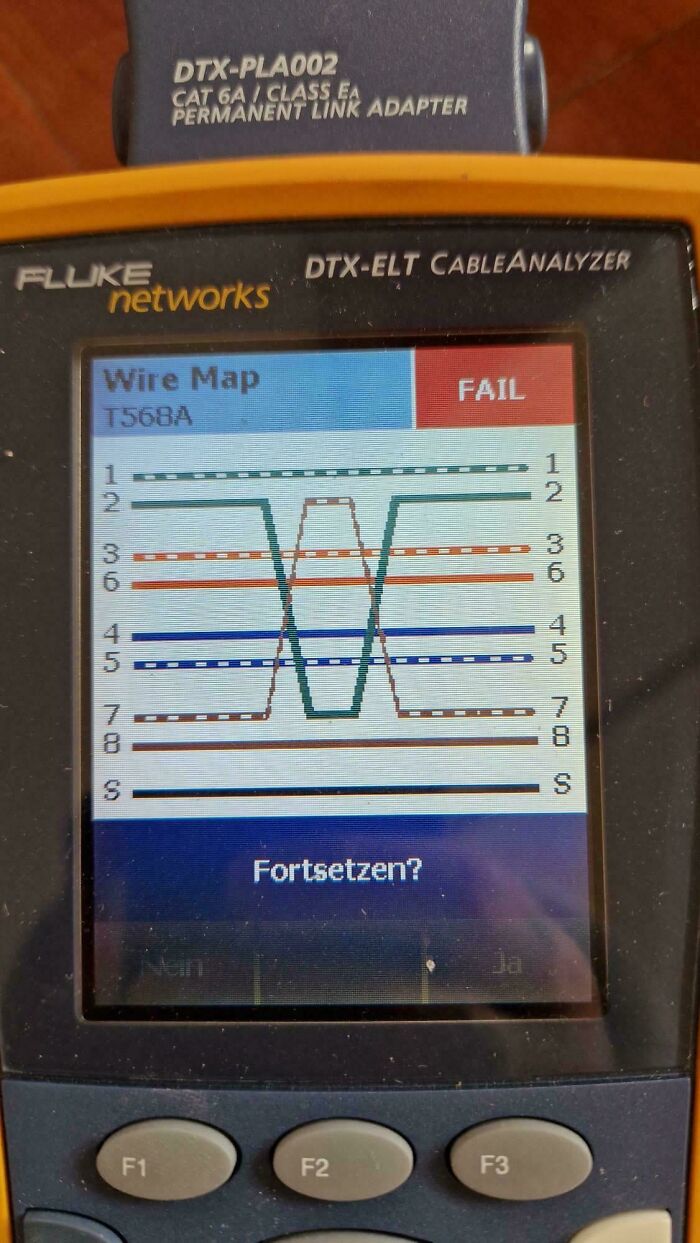
© Photo: F4T-C4T
#85 Bought A Keyboard From Aliexpress Incl. "Config Software"... This Is Now The Worst USB Drive I Own... 8mb (Bios) Chip

© Photo: EpicLPer
#86 Poor Little Raspi Been Running Like This For Years
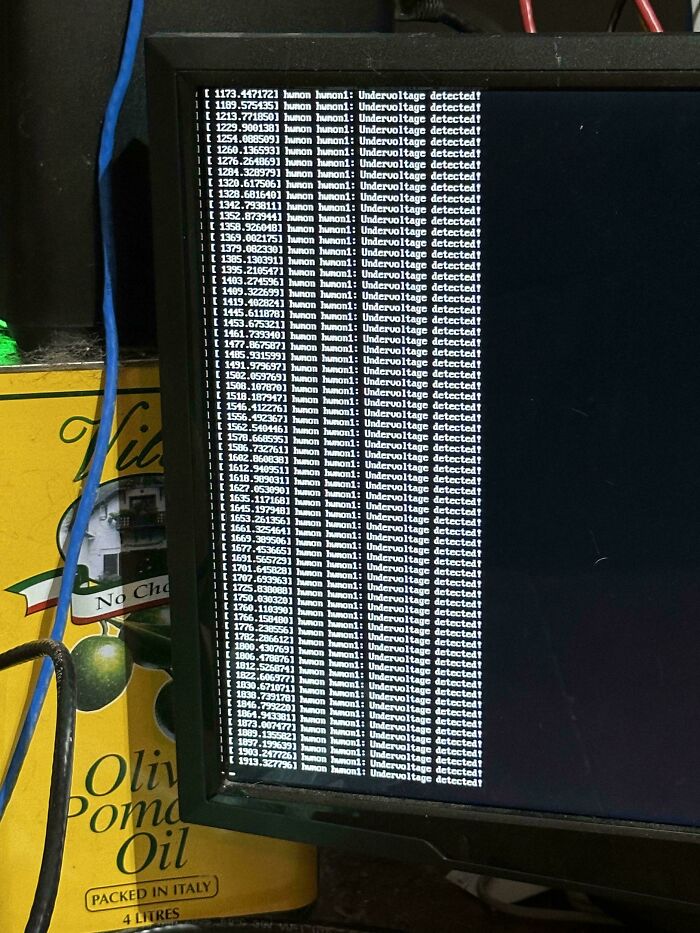
© Photo: braveduckgoose
#87 I Wonder Why This Persons Laptop Won’t Turn On
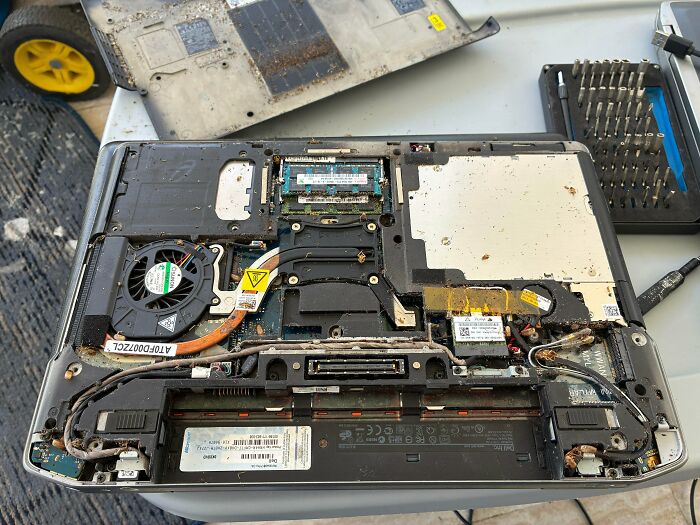
© Photo: lestert03
#88 Saw This In Oxford Today
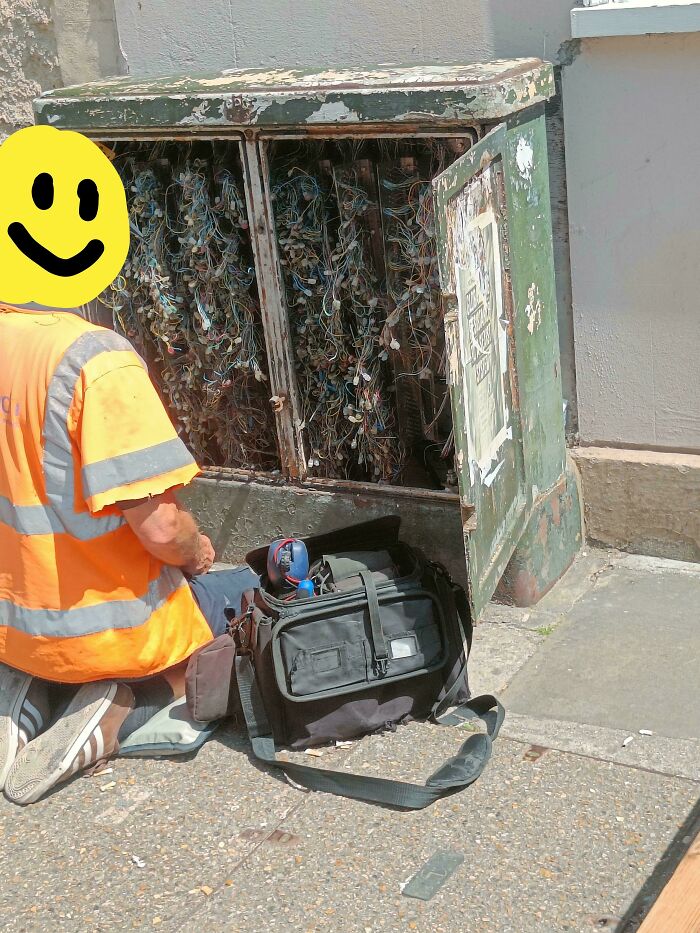
© Photo: Flying_Soldier
Popular Products
-
 Adjustable Cosmetic Denture Set
$48.99$33.78 -
 Unisex Adjustable Back Posture Corrector
$71.56$35.78 -
 Hydra Exfoliation, Extraction, and Re...
$3,218.99$1926.78 -
 Neoprene Swim Fin Socks for Diving & ...
$28.99$19.78 -
 3D Compression Ankle Support Strap fo...
$15.99$10.78