How To Make Smart Home Security Work For Your Household
—
You’ve got a video doorbell on the porch, and a smart lock on the front door, plus a voice assistant that mostly sets timers. Each one works fine on its own. But together, they don’t do much. So you’re stuck deciding whether to add another device or scrap the setup and start fresh.
Meanwhile, smart home security works best when every piece shares one job. This guide helps you sort out what your household actually needs, build it in a logical order, and ask better questions before you spend a dollar.
The Difference Between Smart and Traditional Home Security
A traditional alarm reacts after something happens. It makes noise when someone opens a door, and that’s about it.
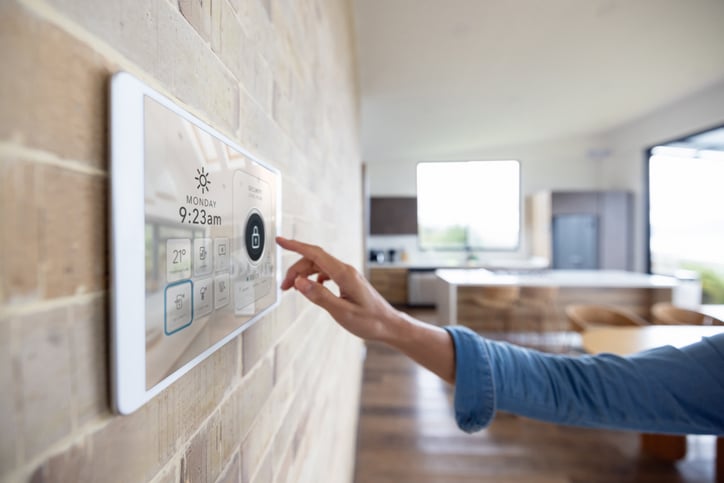
A smart home security system connects cameras, entry sensors, smart locks, alarms, and monitoring so they talk to each other. So a door opens, and your phone knows, and a camera starts recording, and a porch light clicks on. That’s automation doing the work instead of you.
None of this sits on the fringe anymore, either. Pew Research found in February 2026 that 18% of U.S. adults own an AI-enabled smart doorbell, while 35% own a smart speaker. Plenty of households already run smart home technology day to day.
Think in Layers, Not All at Once
Buying everything at once rarely gives you a system that works. You end up with four apps and a drawer of manuals. Start with the problem that bothers you most, get that layer right, then add the next one when you’re ready.
Secure the Entry Points First
Burglars go for the obvious entry points: front doors, back doors, the garage, and ground-floor windows. So this layer earns your attention before anything else.
Door and window sensors tell you when something opens, while a smart lock removes any doubt about whether you locked up behind you. Then a visible camera at the main entry adds a deterrent. Most households can stop right there and still sleep better.
Add Awareness Where It Has a Job to Do
Now think about the moments you actually wonder about. A package sitting on the porch, your kid getting home at 3:40, a dog walker coming through the side gate, or your mom letting herself in on a Tuesday.
A video doorbell, an indoor camera, and motion-activated lighting all answer those questions. But more sensors also mean more pings, and alert fatigue sets in fast once your phone buzzes for every squirrel. So add awareness where it has a clear job, and skip it where it doesn’t.
Decide Who Responds
Sensors detect and cameras document, yet somebody still has to act on what they see. You can take the alert yourself and decide from there, or you can name a household contact who checks the house when you’re away.
Otherwise, smart home security solutions that combine entry sensors, cameras, and 24/7 professional monitoring hand that decision to a monitoring center, which then contacts you and dispatches help without waiting on you to pick up.
DIY, Professional, or Both
Installation and monitoring are two separate decisions, and plenty of people treat them as one. You can mount your own entry sensors and cameras over a weekend, then still pay for 24/7 professional monitoring. Or you can have a technician install and test everything, and then run it yourself from an app.
So the right mix depends on your household. A small setup in a two-bedroom place is a fine DIY job, while a larger home with outbuildings, older wiring, and a dozen windows gets messy fast. Then ask the harder question. When an alert fires at 2 AM, do you want to be the one deciding what it means? Some people do, and some would rather hand that off. Treating it as household homework beats guessing.
How to Keep Your Smart System Secure
A smart lock or connected camera only stays as secure as the network running it. So the router matters as much as the hardware on your doors.
The FTC tells camera buyers to look for encryption, enable stronger account protection, and think through who has access, while NIST research from 2025 found that people judge smart devices differently by category, which means generic advice often slides right past them.
Here’s where to start.
- Switch your home router to WPA3 encryption
- Put security devices on a separate IoT network
- Turn on multi-factor authentication for every account
- Update device firmware on a set schedule
- Audit shared access and remove anyone who no longer needs it
- Check cloud storage retention settings before you subscribe
Questions Worth Asking Before You Buy
Salespeople answer the questions you ask, so walk in with good ones. Most buyer regret traces back to something nobody brought up before signing, and a few minutes of questions can save years of paying for something that doesn’t fit.
Bring these:
- What still works when the internet or power goes out?
- Does the equipment stay yours if you cancel the plan?
- Is professional monitoring required, or can you self-monitor?
- How long does footage stay stored, and where does it live?
- What does the agreement cover, and are there early termination fees?
- Will it work with Alexa, Google Home, or Apple Home?
Also ask about Matter support, since the standard keeps expanding and it shapes what you can add later without starting over.
—
This content is brought to you by Muhammad Abid
iStockPhoto
The post How to Make Smart Home Security Work for Your Household appeared first on The Good Men Project.
Popular Products
-
 Put Me Down Funny Toilet Seat Sticker
$33.56$16.78 -
 Stainless Steel Tongue Scrapers
$33.56$16.78 -
 Stylish Blue Light Blocking Glasses
$85.56$42.78 -
 Adjustable Ankle Tension Rope
$53.56$26.78 -
 Electronic Bidet Toilet Seat
$981.56$490.78