I Just Added A Permanent Menu Bar To My Ipad In Ipados 27, And It's Made My Apple Tablet Feel Much More Mac-like
Apple has traditionally kept the iPad closer to the iPhone in terms of core functionality (even after it released iPadOS as a standalone software package in 2019), but iPadOS 26 marked a distinct shift towards making the iPad feel more Mac-like.
And honestly, this change in direction made sense. After all, iPads now run MacBook-level M-series chips; the iPad Pro (2025), for instance, uses the M5. They also let you run background exports in creative apps, switch audio sources while podcasting, and complete many more high-level productivity tasks.
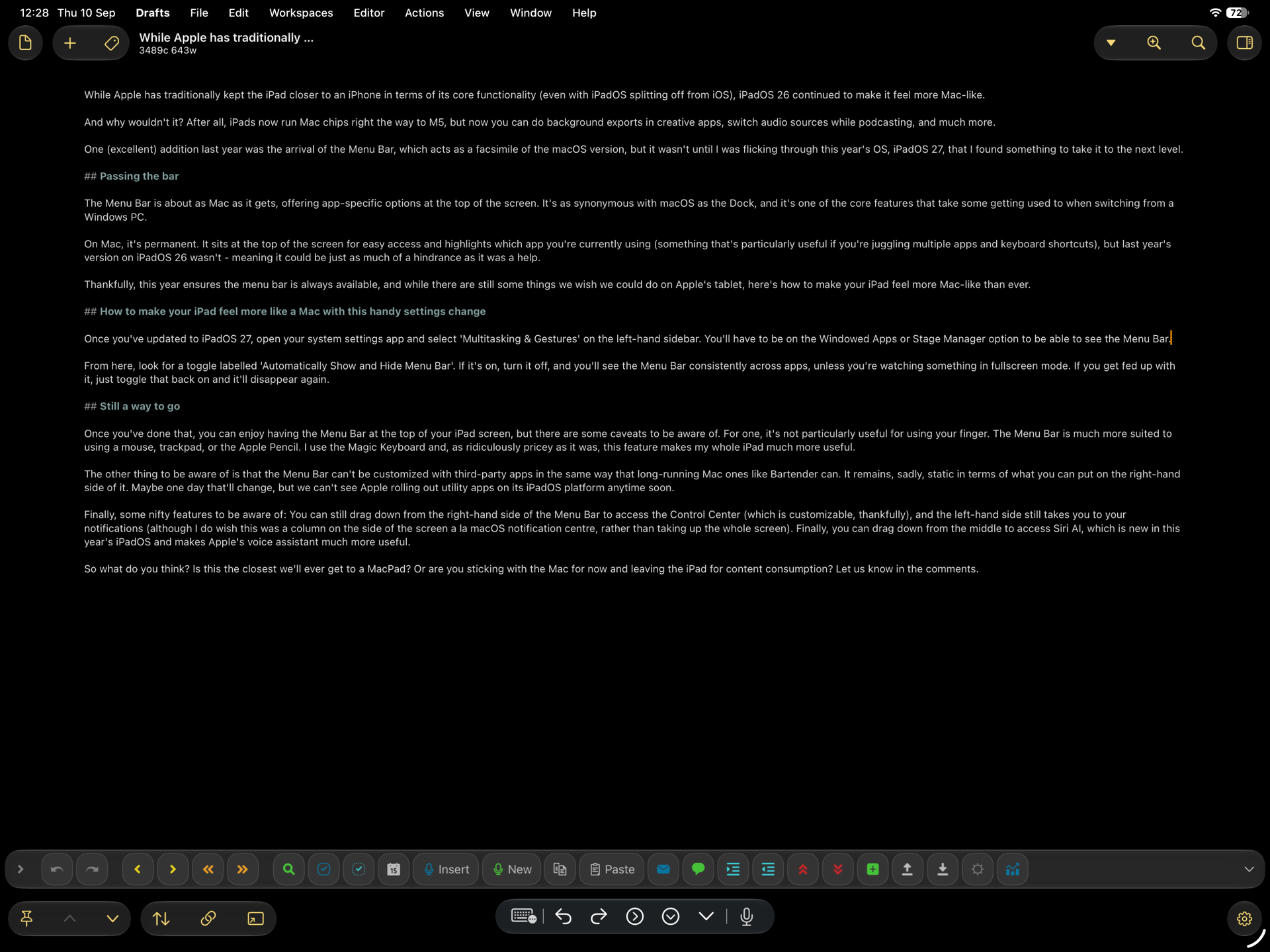
One excellent addition in iPadOS 26 was the arrival of the Menu Bar, which acts as a facsimile of the macOS version of the same feature. But having used iPadOS 27, which launches today (September 14), since its launch in beta earlier this year, I can confidently say that this new software package makes the iPad feel more Mac-like than ever — and the Menu Bar is once again responsible for that.
Passing the bar
As mentioned, the Menu Bar is about as Mac as it gets, offering app-specific options at the top of the iPad screen. It’s as synonymous with macOS as the Dock, and it’s one of the core features that take some getting used to when switching from a Windows PC to a Mac.
On Mac, the Menu Bar is permanent. It sits at the top of the screen for easy access and highlights which app you’re currently using (something that’s particularly useful if you’re juggling multiple apps and keyboard shortcuts), but in iPadOS 26 it wasn’t, meaning it could be just as much of a hindrance as it was a help.
Thankfully, iPadOS 27 ensures the Menu Bar is always available, and while there are still some things I wish I could do on Apple’s tablet, the ability to affix the Menu Bar permanently is a change I welcome.
To do so, once you’ve updated to iPadOS 27, open Settings and select ‘Multitasking & Gestures’ on the left-hand sidebar. You’ll have to be on the Windowed Apps or Stage Manager option to be able to see the Menu Bar.
From here, look for a toggle labelled ‘Automatically Show and Hide Menu Bar’. If it’s on, turn it off, and you’ll see the Menu Bar consistently across apps, unless you’re watching something in full-screen mode. If you get fed up with it, just toggle that ‘Automatically Show and Hide Menu Bar’ option back on, and it’ll disappear again.
Still a way to go
Once you’ve toggled that setting, you can enjoy having the Menu Bar at the top of your iPad screen, but there are some caveats to be aware of.
For one, it’s not particularly useful if you use your iPad with your finger. The Menu Bar is much more suited to using a mouse, trackpad, or the Apple Pencil. I use the Magic Keyboard and, as ridiculously pricey as it was, this feature makes my whole iPad much more useful.
The other thing to be aware of is that the Menu Bar can’t be customized with third-party apps in the same way that long-running Mac ones like Bartender can. Sadly, it remains static in terms of what you can put on the right-hand side of it. Maybe one day that’ll change, but I can’t see Apple rolling out utility apps on its iPadOS platform anytime soon.
Finally, some nifty features to be aware of: you can still drag down from the right-hand side of the Menu Bar to access the Control Center (which is customizable, thankfully), and the left-hand side still takes you to your notifications (although I do wish this was a column on the side of the screen à la the macOS notification centre, rather than taking up the whole screen).
You can also drag down from the middle of the Menu Bar to access Siri AI, which is new in iPadOS 27 and makes Apple’s voice assistant much more useful.
So, what do you think? Is this the closest we’ll ever get to a MacPad? Or are you sticking with the Mac for now and leaving the iPad for content consumption? Let me know in the comments below.
Popular Products
-
 Men's Smartwatch with Bluetooth Call ...
$121.99$84.78 -
 QERE E80 Wireless Headphones with Noi...
$130.99$90.78 -
 Veepeak OBDCheck BLE OBD II Scanner A...
$148.99$103.78 -
 Thinkcar BD6 OBD2 Scanner Full System...
$193.99$134.78 -
 MUCAR BT200 Automotive Full System Di...
$190.99$132.78